
Understanding APIs (Part 1): What is an API?
The concept of an API can be hard to grasp. This post gives a simple explanation of what an API is, its 4 aspects (Inputs, Operations, Outputs, Data Types), and how Requests and Responses fit together — plus a diagram to refer back to.
Understanding APIs· Part 1 of 6
- 1.Understanding APIs (Part 1): What is an API?
- 2.Understanding APIs (Part 2): API Analogies and Examples
- 3.Understanding APIs (Part 3): What are HTTP Methods?
- 4.Understanding APIs (Part 4): What is a URI?
- 5.Understanding APIs (Part 5): Intro to Postman and Query Parameters
- 6.Understanding APIs (Part 6): What are HTTP Status Codes?

I know that the concept of an “API” can be a bit hard to understand. It’s such an abstract thing!
If you’re in technology, you probably have heard already about these APIs, but you may not fully understand what it means or what it is just yet. Hey, don’t worry. The same thing happened to me! It took me some time to really figure out what these are.
For this post, I’ll give you a simple explanation and a cool diagram for you to refer to whenever you get confused with the terminology.
What is an API?
First of all, API is an acronym for Application Programming Interface. You can read the complete wiki definition here.
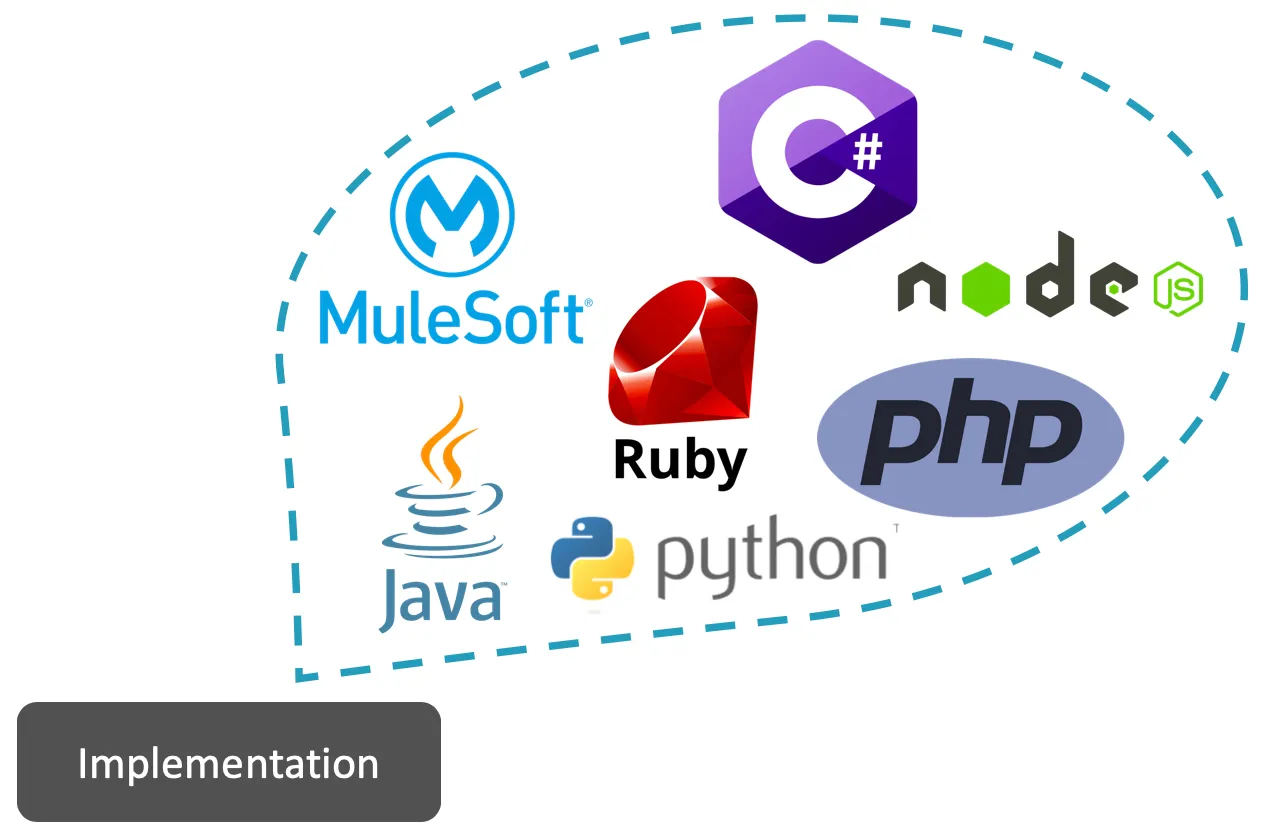
Now that the textbook definition is out of the way, let me start by stating that an API can be created in different programming languages or different technology tools. Let’s call the “body” of the API, the Implementation.
An API is composed of 4 specific aspects (plus the Implementation of the actual API).
- Inputs
- Operations
- Outputs
- Data Types
1. Inputs
The Inputs for the API are pieces of data or information that you can send to the Implementation.
2. Operations
This is where you define what you expect the API to do with the Inputs you will be sending to the Implementation.
3. Outputs
These are also pieces of data or information, but instead of sending these to the API (or Implementation), you will be receiving these from the API (or Implementation).
4. Data Types
The data or information that you send to the API and that you receive from it must be of some type. It can be numbers, words, an Excel file, a Java Object, a CSV file, a JSON or XML format, etc.
You can send, for example, some input numbers and tell the API which operation you expect it to process, and get some more numbers in return as the output. Maybe you send your name as an input, and you receive a “Hello” plus your name as the output. All these formats are the Data Types.
Defining an API’s Request and Response
Request
The combination of Inputs (along with their Data Types) and Operations is what we call a “Request.” In other words, everything that you send to the API or the Implementation is a Request (RQ).
Response
The Outputs from the API or Implementation, as well as their Data Types, are what we call a “Response.” Put simply, everything sent back from the API to you, the caller, is a Response (RS).
Putting it all together
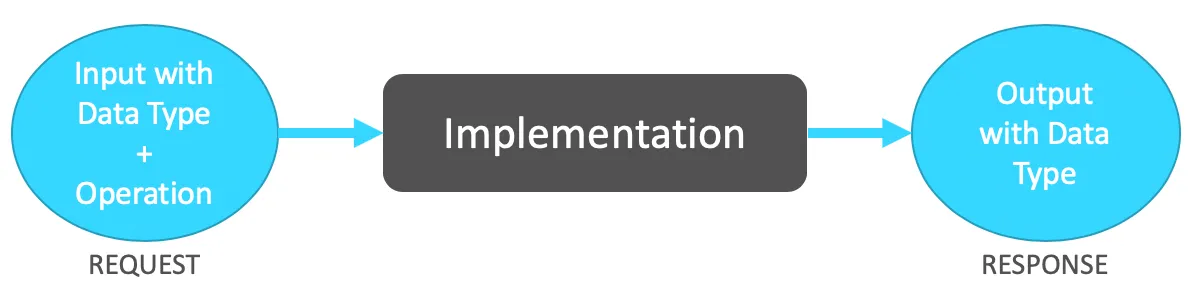
The Request is formed by the Inputs we want to send to the API. This includes their specified Data Types and the specific Operation that we want the API to process and return to us.
This Request is sent to the Implementation of the API, which is processed by the code, and then the Outputs with the specified Data Types are returned to us.
Um… Ok… Not quite sure what an API is yet?
APIs are a very abstract concept, as I mentioned before, and I wouldn’t blame you if you went through this complete post and still felt confused as to what an API is. Not to worry, my friend! I thought of that too.
I wanted to have this explanation clarified first, so you could at least keep in mind this last diagram. Save this picture somewhere because you may need to re-reference it as you keep learning.
As you may have guessed from the title, this is only Part 1 of this series! We will continue to go on a journey through the wonders and philosophies of APIs. Part 2 will give you some analogies and examples of APIs. This way, you’ll end up with a better picture of this weird, but needed, concept.
Let me just finish up with a quick recap. You are allowed to forget what you learned; it happens to everyone! The important thing is to keep trying and don’t give up.
Recap
- API is an acronym for Application Programming Interface.
- The “body” of the API is also called the Implementation.
- APIs are composed of Inputs, Operations, Outputs, and Data Types.
- The Request is what we send to the API: Inputs with their Data Types and Operations.
- The Response is what the API returns to us: Outputs with their Data types.
That’s it for now! You can subscribe to this blog to receive an email as soon as new content is published. You can also follow ProstDev on social networks to see more of our content. :)
Prost!
-Alex
FAQs
Frequently asked questions about this post.
-
What does API stand for?
API is an acronym for Application Programming Interface.
-
What are the 4 aspects that make up an API?
An API is composed of 4 specific aspects: Inputs, Operations, Outputs, and Data Types, plus the Implementation, which is the actual body of the API.
-
What is the Implementation of an API?
The Implementation is what the post calls the body of the API, the actual API that can be created in different programming languages or technology tools and that processes your Inputs with the code to return Outputs.
-
What's the difference between Inputs and Outputs?
Inputs are pieces of data or information that you send to the Implementation, while Outputs are pieces of data or information that you receive back from the API or Implementation.
-
What is the difference between a Request and a Response?
A Request is everything you send to the API, namely the Inputs along with their Data Types and the Operations, while a Response is everything sent back from the API to you, the caller, namely the Outputs along with their Data Types.
More from this series
Understanding APIs· Part 1 of 6
- 1.Understanding APIs (Part 1): What is an API?
- 2.Understanding APIs (Part 2): API Analogies and Examples
- 3.Understanding APIs (Part 3): What are HTTP Methods?
- 4.Understanding APIs (Part 4): What is a URI?
- 5.Understanding APIs (Part 5): Intro to Postman and Query Parameters
- 6.Understanding APIs (Part 6): What are HTTP Status Codes?