
The Power of cURL
cURL is a command-line tool used to transfer files and invoke APIs over protocols like HTTP, HTTPS, and FTP. Learn how to send GET, query params, URI params, headers, and POST requests, plus how to print output.
The Power of cURL· Part 1 of 2
- 1.The Power of cURL
- 2.The Power of cURL - Part II

Advanced Rest Client, Postman and SoapUI are top API clients you may have used while building or testing API integrations. These applications are useful. However there are cases where invoking the API from the command line is advantageous and is made possible through cURL.
What is cURL?
cURL is a tool used to transfer files. The cURL command can be used inside scripts or from the command line. cURL provides support for common protocols like HTTP, HTTPS, FTP and much more.
This article will focus on using the cURL command to invoke integrations that use HTTP. The cURL commands provided in this article will be demonstrated by invoking a sample API built in Mule 4, running on my local machine. Let’s get started!
How do I start?
Open your command prompt (Windows) or terminal (Mac/Linux). Run
curl
Look for the following output:
curl: try 'curl --help' for more informationThis is a good indicator that cURL is installed on your local machine. If not, you will need to do a fresh install of cURL. Download cURL here.
cURL commands typically use the following syntax:
curl [options] [url]Need help?
Use the —help option to provide a list of options.
curl --help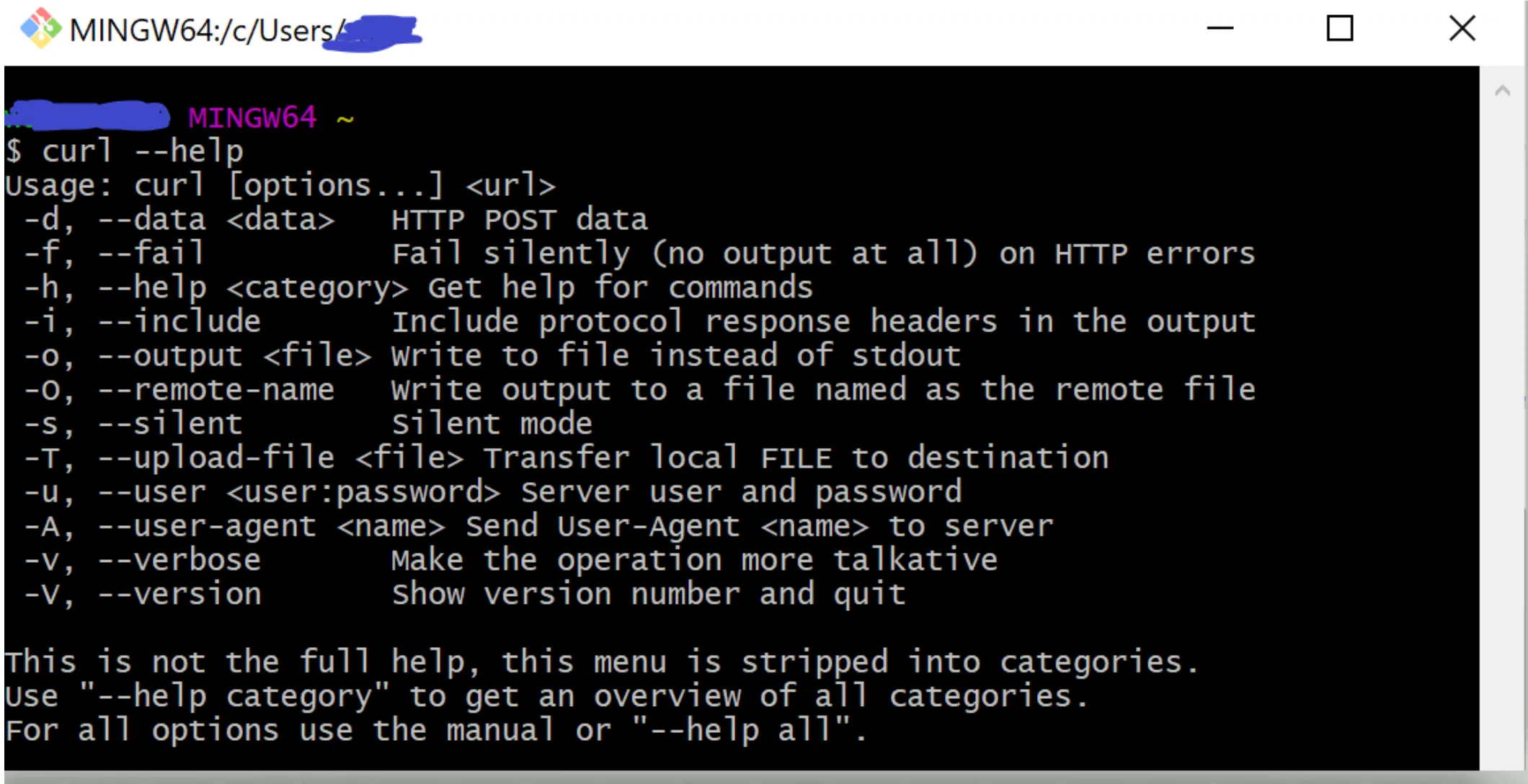
Use the —manual option to reference the “man” page (or manual).
curl --manual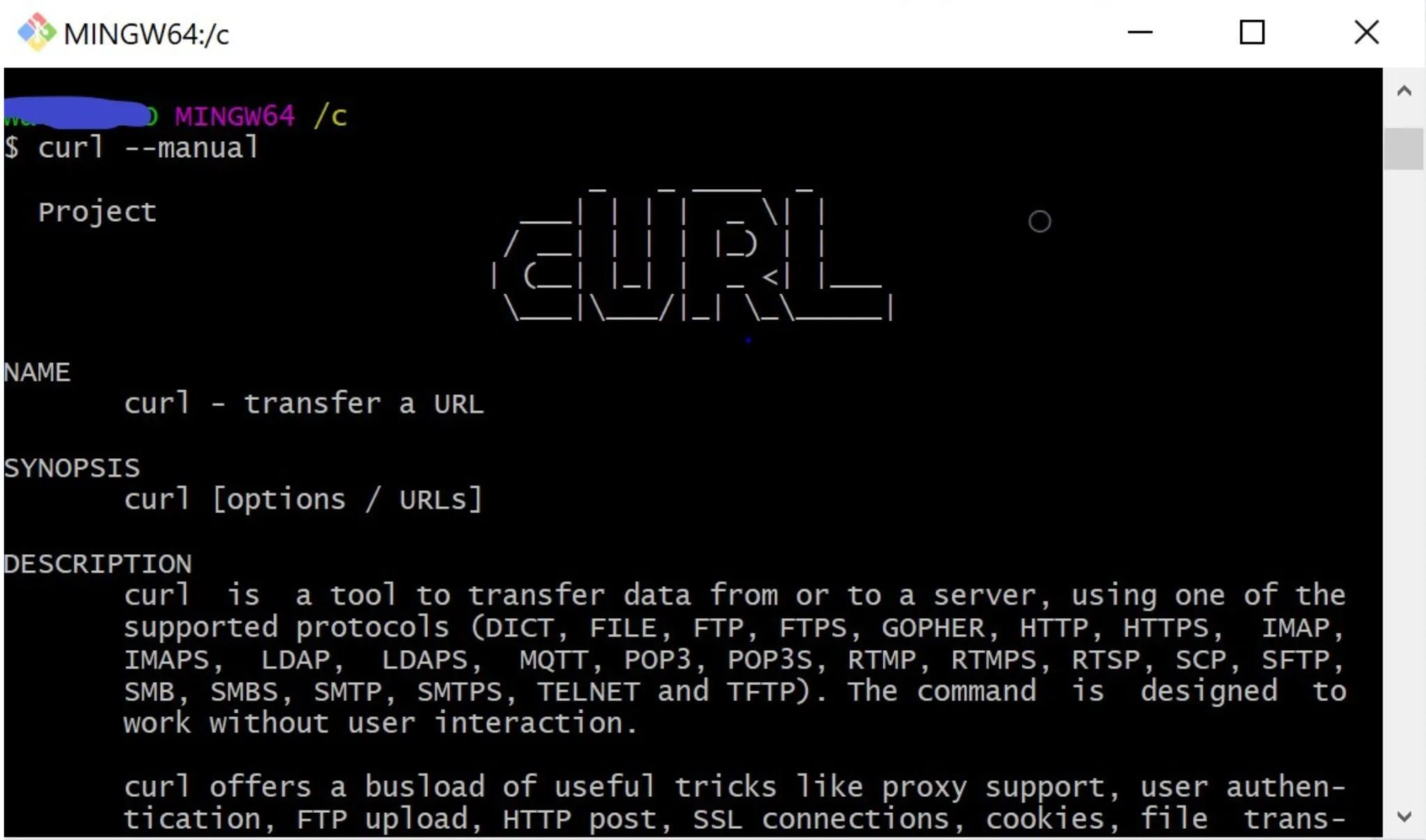
Note
Since I am using a Windows machine, I often use the command line from a Git Bash terminal.
Demo Time
The remainder of this article will focus on HTTP. All demonstrated cURL command examples will be HTTP requests (unless otherwise specified) and invoked against a simple Mule API running on my local machine. The API takes in the HTTP request and provides a breakdown of the request in the response.
REQUEST OPTION: To create an HTTP/HTTPS request. Use the —request option.
SYNTAX:
curl --request <method> '<url>'Note
URL will include the protocol (http/https).
GET
GET requests can be written in two formats:
- Short-hand
SYNTAX:
curl '<url>'EX:
curl 'http://localhost:8081/curl/helloget'- Long-hand
SYNTAX:
curl --request GET '<url>'EX:
curl --request GET 'http://localhost:8081/curl/helloget'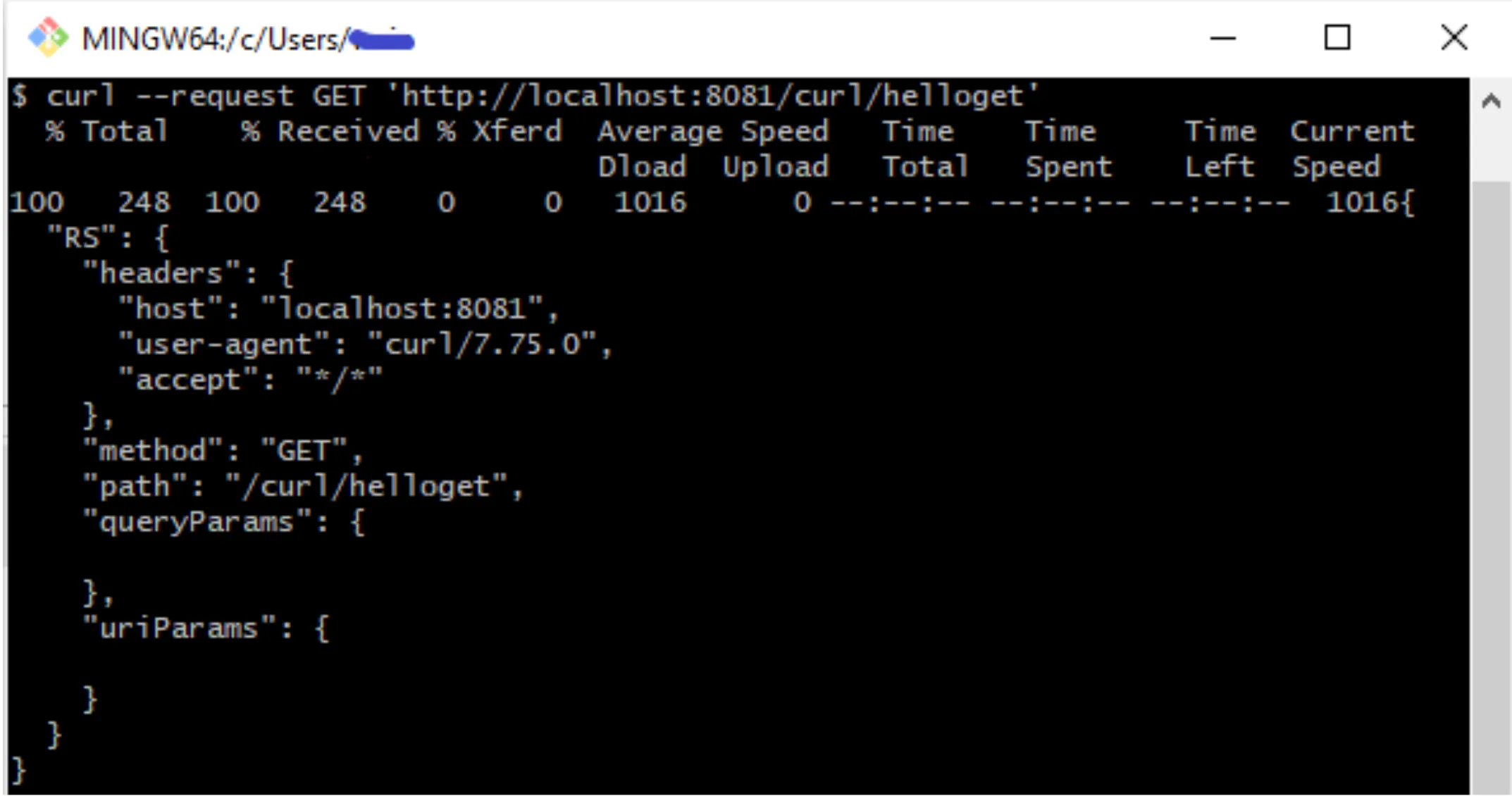
QUERY PARAMS
SYNTAX:
curl --request <method> '<url>?<queryParam1>=<value1>...&<queryParamN>=<valueN>'EX:
curl --request GET 'http://localhost:8081/curl/helloget?firstname=Daffy&lastname=Duck'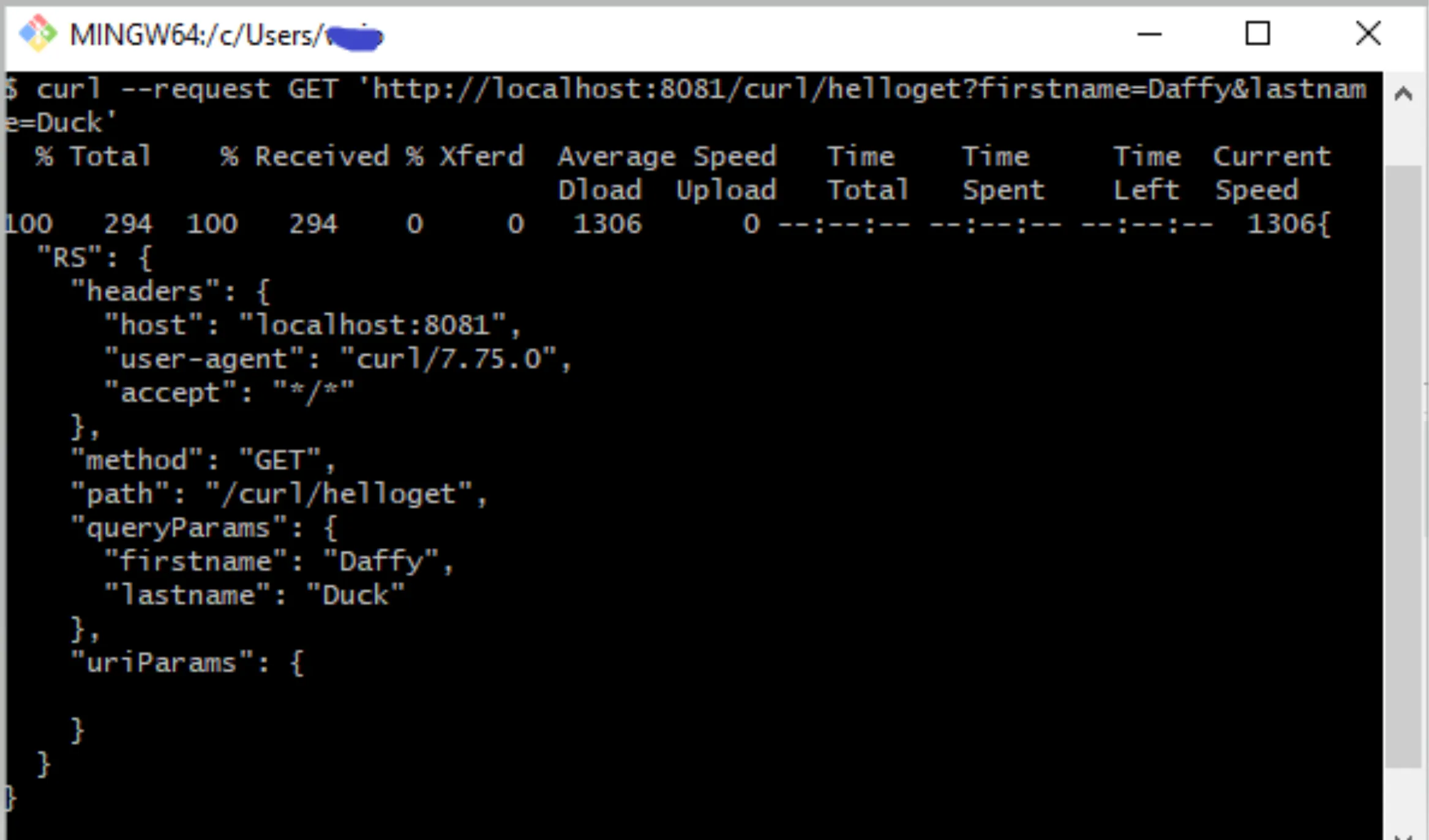
URI PARAMS
SYNTAX:
curl --request <method> '<url>/<uriParam>'EX:
curl --request GET 'http://localhost:8081/curl/helloget/1'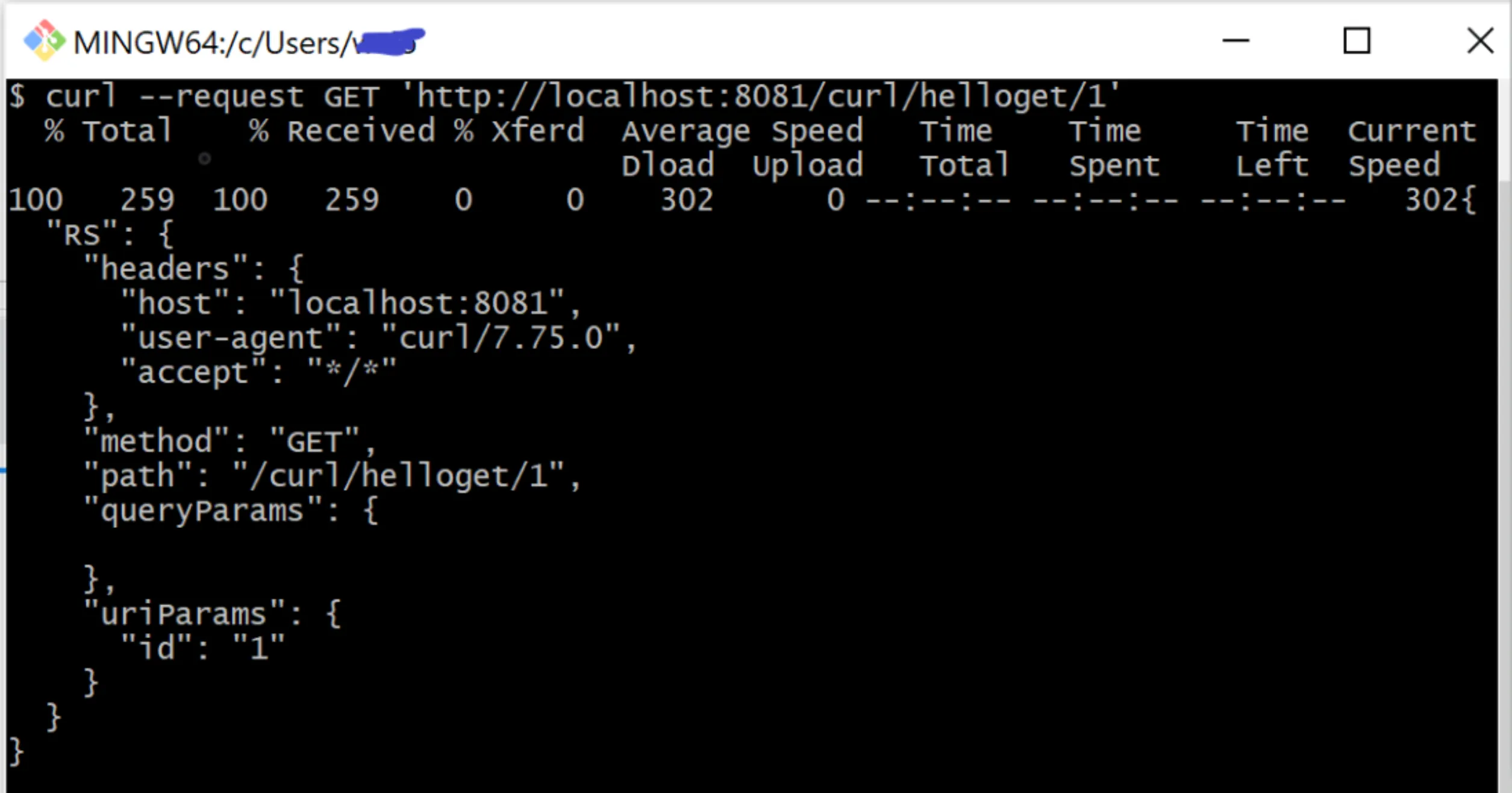
HEADERS
SYNTAX:
curl --request <method> '<url>'  \
    --header '<key>:<value>'
Single Header
EX:
curl --request GET 'http://localhost:8081/curl/helloget' \
    --header 'Authorization: Bearer xybaneoovganfZbe'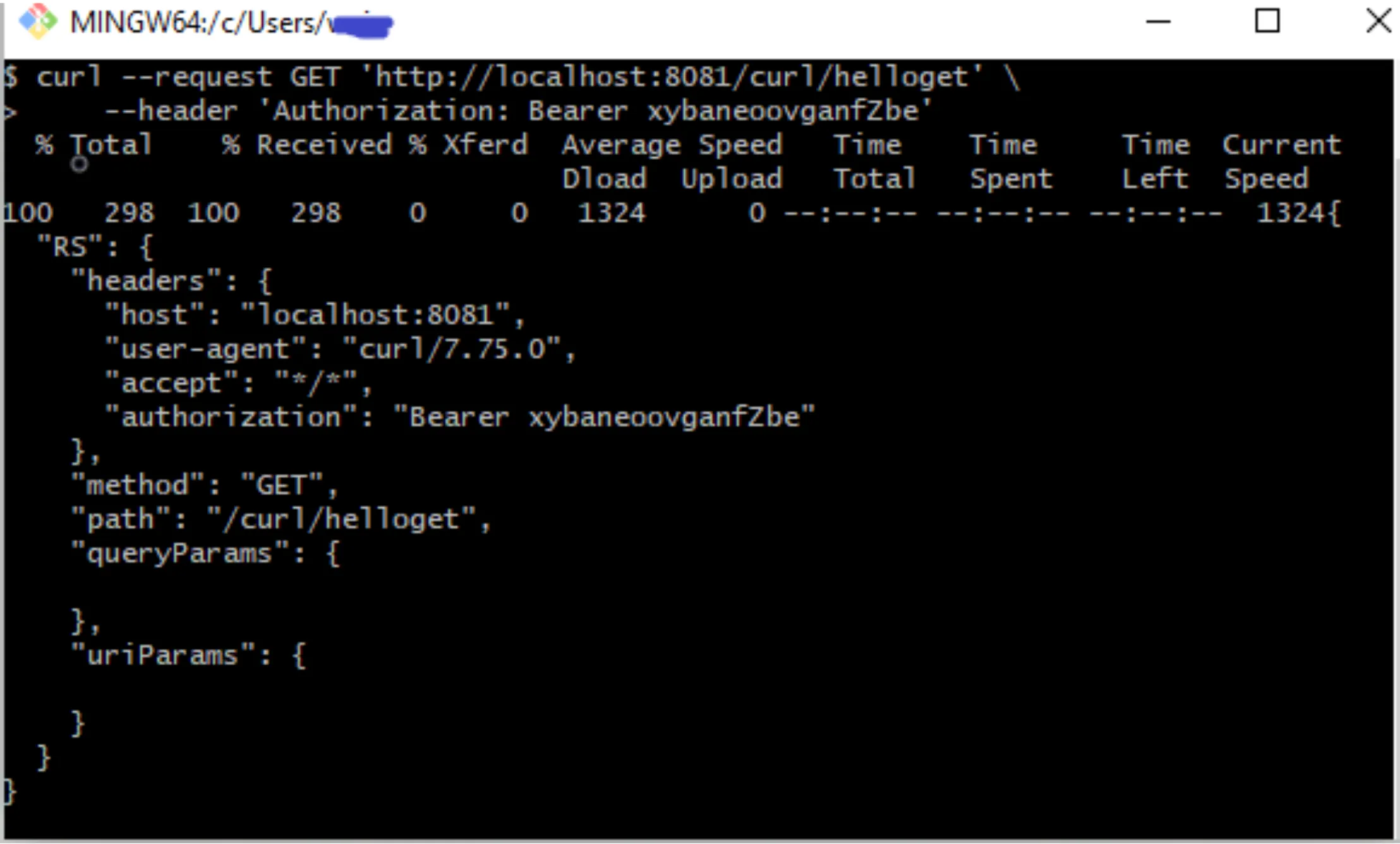
Multiple Headers
EX:
curl --request GET 'http://localhost:8081/curl/helloget' \
    --header 'client_id: bond' \
    --header 'client_secret: 0007'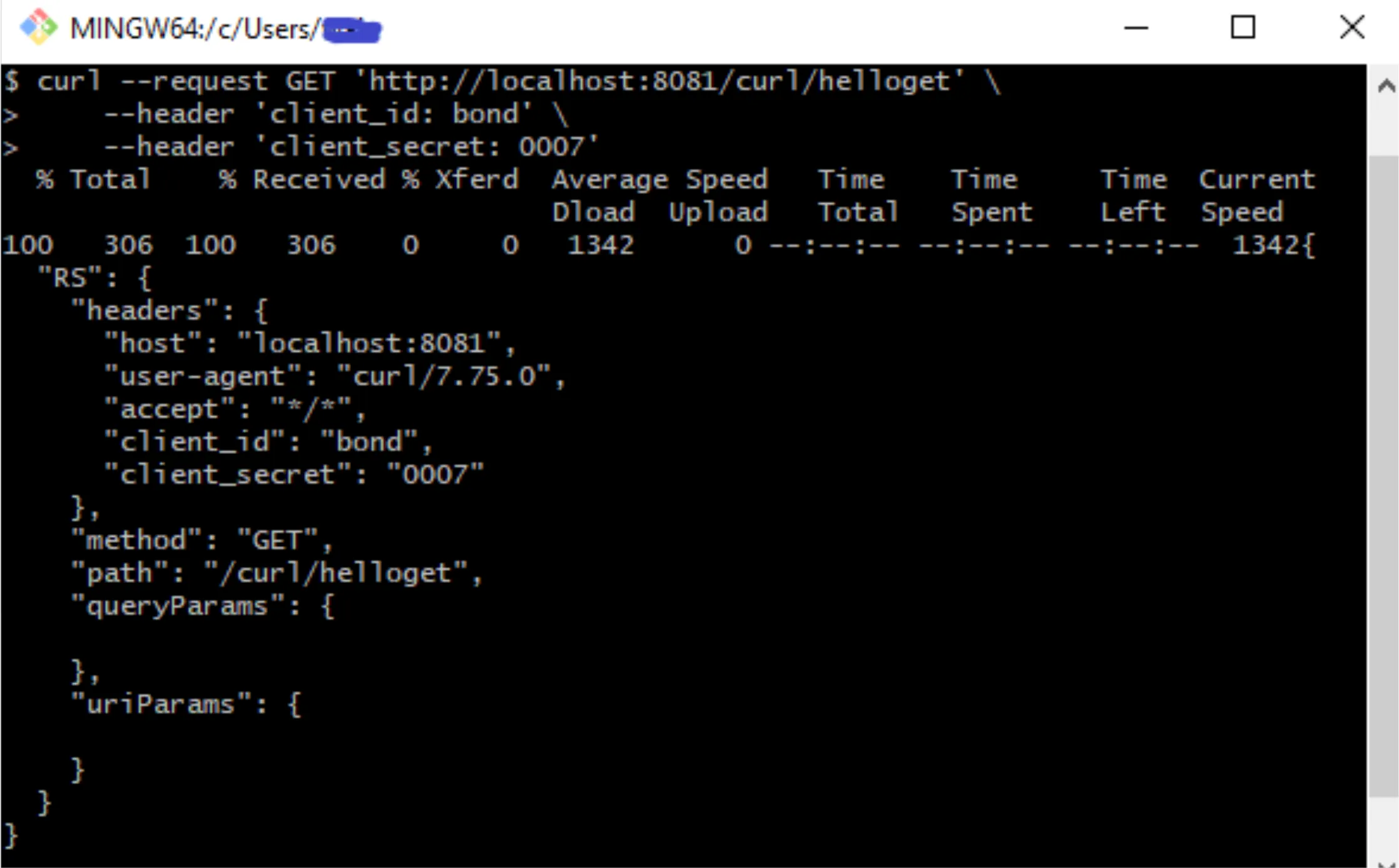
POST
SYNTAX:
curl --request <method> '<url>' \
    --header 'Content-Type: <content-type>' \
    --data-raw '<data>'
EX:
curl --request POST 'http://localhost:8081/curl/hellopost' \
    --header 'Content-Type: application/json' \
    --data-raw '{ "RQ" : {"message" : "hello prostdev readers"}}'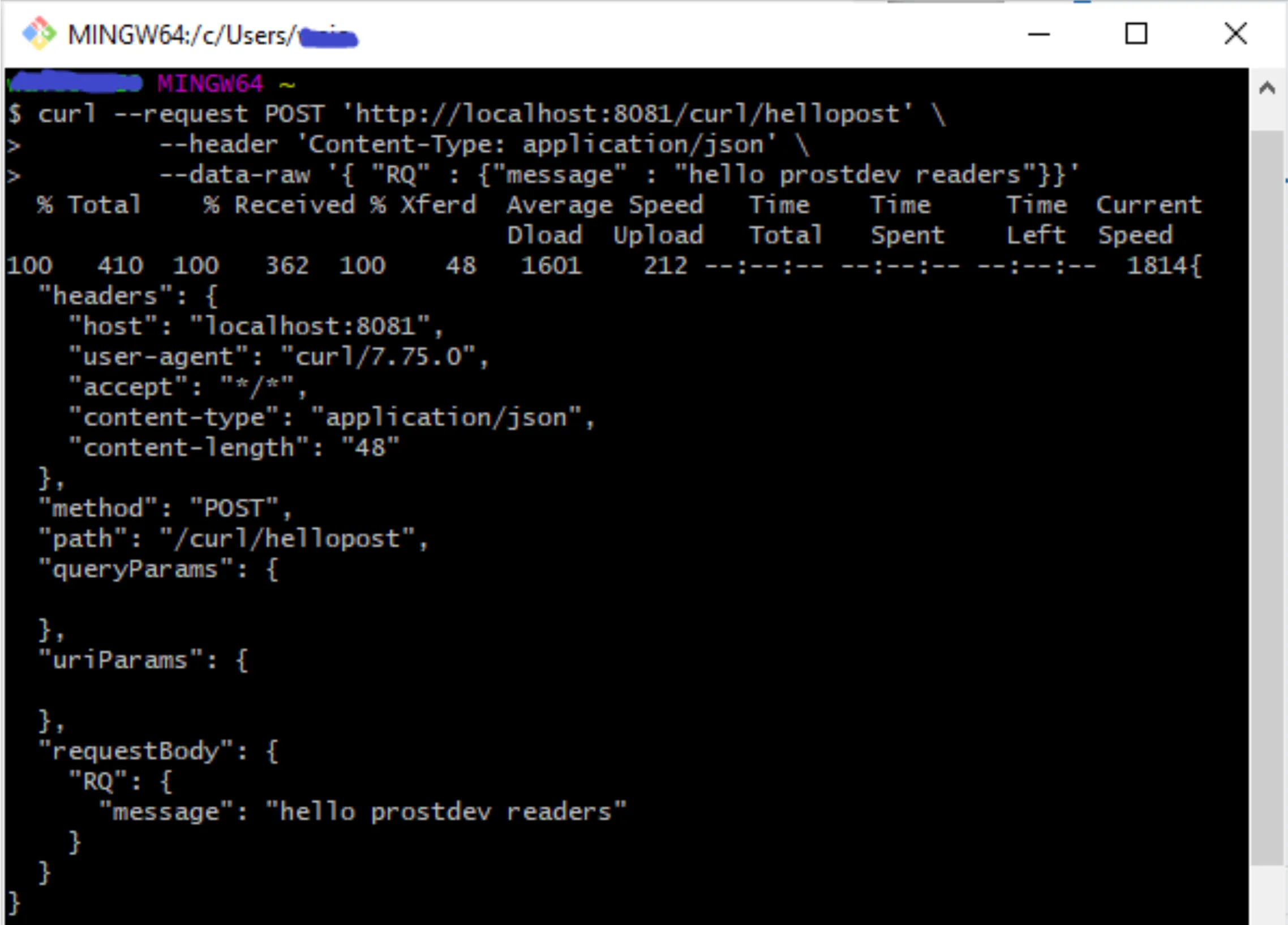
Print Output
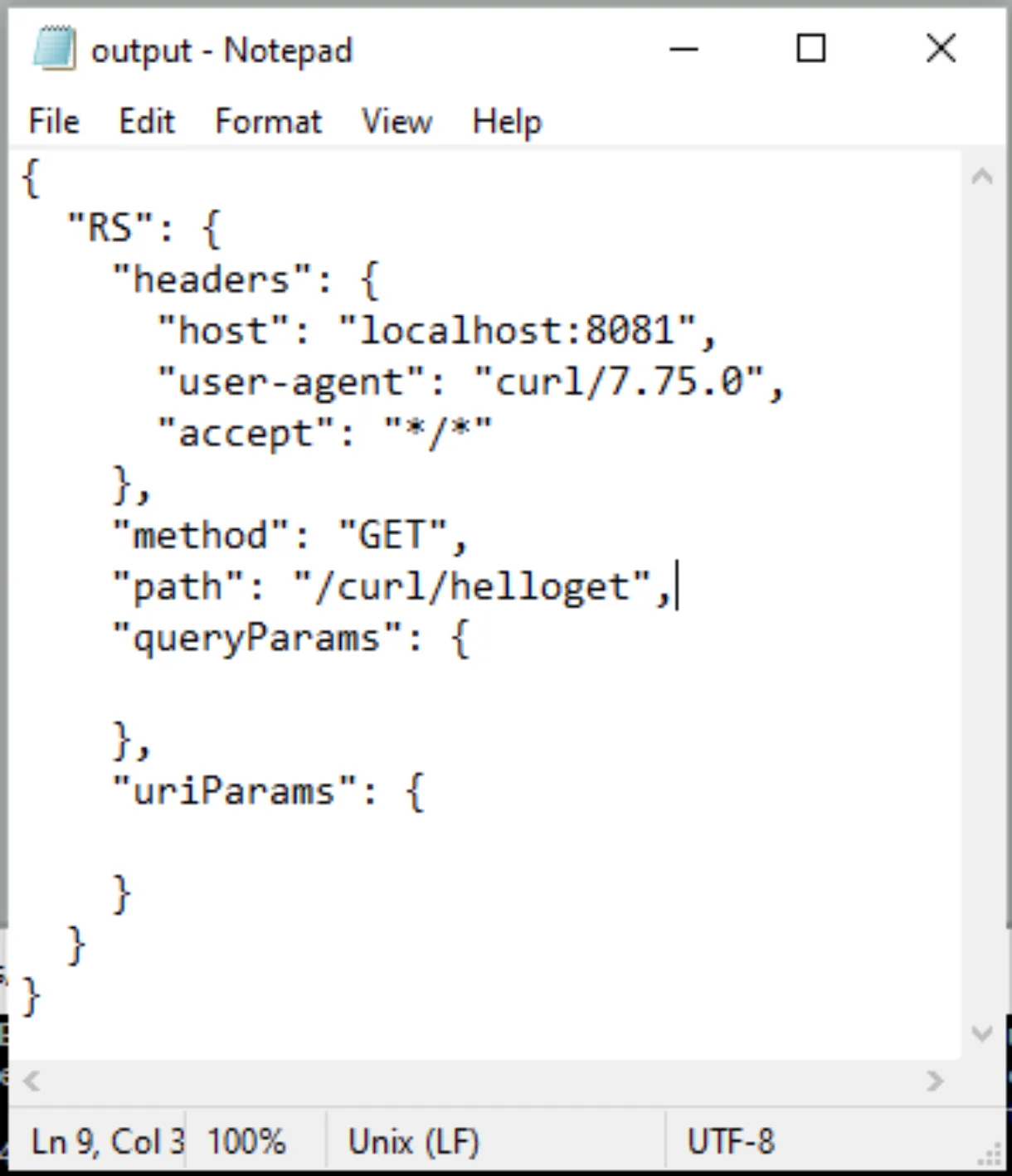
Interested in saving the output of your API invocation? Use the —output option.
SYNTAX:
curl --request <method> <url> --output output.txtEX:
curl --request GET 'http://localhost:8081/curl/helloget'\
    --output output.txt
Lessons Learned
- Although quotes are not required around the URL, when sending requests with query parameters make sure you wrap requests around quotes. Without the quotes, I noticed that cURL dropped the query parameters.
- Wrap your request URL in “double-quotes” if using command prompt and ‘single-quotes’ if using command line terminal. I found issues with ‘’ and “” between command prompt and command line.
- Multi-line in command prompt is different from multi-line on command line.
- Add “\” at the end of the line to enter a new line on a multi-line request from the command line.
- Add “^” at the end of the line to enter a new line on a multi-line request from the command prompt.
Conclusion
This post invoked an API through HTTP. However, most of the time we invoke APIs over HTTPS. If you are interested in an HTTPS version of this post, please let us know through a comment.
If you would like to learn more about cURL, check out the cURL documentation here.
Lastly, I am Whitney Akinola. I’m a fellow MuleSoft Developer and content creator. Feel free to check out my technical content here.
FAQs
Frequently asked questions about this post.
-
How do I check whether cURL is already installed?
Open your command prompt on Windows or terminal on Mac/Linux and run
curl. If you see the outputcurl: try 'curl --help' for more information, that is a good indicator cURL is installed on your machine. If not, you can do a fresh install from https://curl.se/download.html . -
What's the difference between the short-hand and long-hand way to send a GET request?
Both produce a GET request. The short-hand form is just
curl '<url>', while the long-hand form spells out the method explicitly ascurl --request GET '<url>'. -
How do I send query parameters with cURL?
Append them to the URL after a
?, separating multiple pairs with&, as incurl --request GET 'http://localhost:8081/curl/helloget?firstname=Daffy&lastname=Duck'. The author notes you should wrap requests with query parameters in quotes, because without the quotes cURL dropped the query parameters. -
How do I add headers to a cURL request?
Use the
--headeroption with a'<key>:<value>'pair, and repeat--headeronce per header for multiple headers, for example a single--header 'Authorization: Bearer xybaneoovganfZbe'or two lines--header 'client_id: bond'and--header 'client_secret: 0007'. -
How do I save the output of a cURL request to a file?
Use the
--outputoption followed by a filename, as incurl --request GET 'http://localhost:8081/curl/helloget' --output output.txt, which saves the response into that file. -
How do I write a multi-line cURL command?
It differs by shell: add
\at the end of the line to continue onto a new line from the command line terminal, and add^at the end of the line to do the same from the Windows command prompt.
More from this series
The Power of cURL· Part 1 of 2
- 1.The Power of cURL
- 2.The Power of cURL - Part II