
JWT token creation using DataWeave
Security implementations have been revolutionary through OAuth 2.0, OpenID Connect, SAML, etc. OAuth 2.0 and OpenID connect mostly use JWT as a token format. Here's how to create a JWT token using Java and DataWeave.

Security implementations have been revolutionary through OAuth 2.0, OpenID Connect, SAML, etc. OAuth 2.0 and OpenID connect mostly use JWT as a token format. JWT is a very familiar term for the API fraternity.
There are instances where we need to create a JWT token to authorize our APIs to a service or authorize any client if we are using any custom solutions for authentication/authorization.
Let’s take a deeper look at JWT tokens.
Sample JWT token
ewogICJhbGciOiAiSFMyNTYiLAogICJ0eXAiOiAiSldUIiwKICAia2lkIjogIjEwMSIKfQ.ewogICJpc3MiOiAiR1RBIiwKICAiaWF0IjogMTY1NjQyMTQ0NiwKICAicmVxdWVzdGVkU2NvcGUiOiBbCiAgICAieG90cCIKICBdCn0.l2slJ86T7J3at9UG5esKMi5B9h02WjcpIuMZm_5mxzMLet’s see the basic structure of this token. (Visit https://jwt.io/#debugger-io)
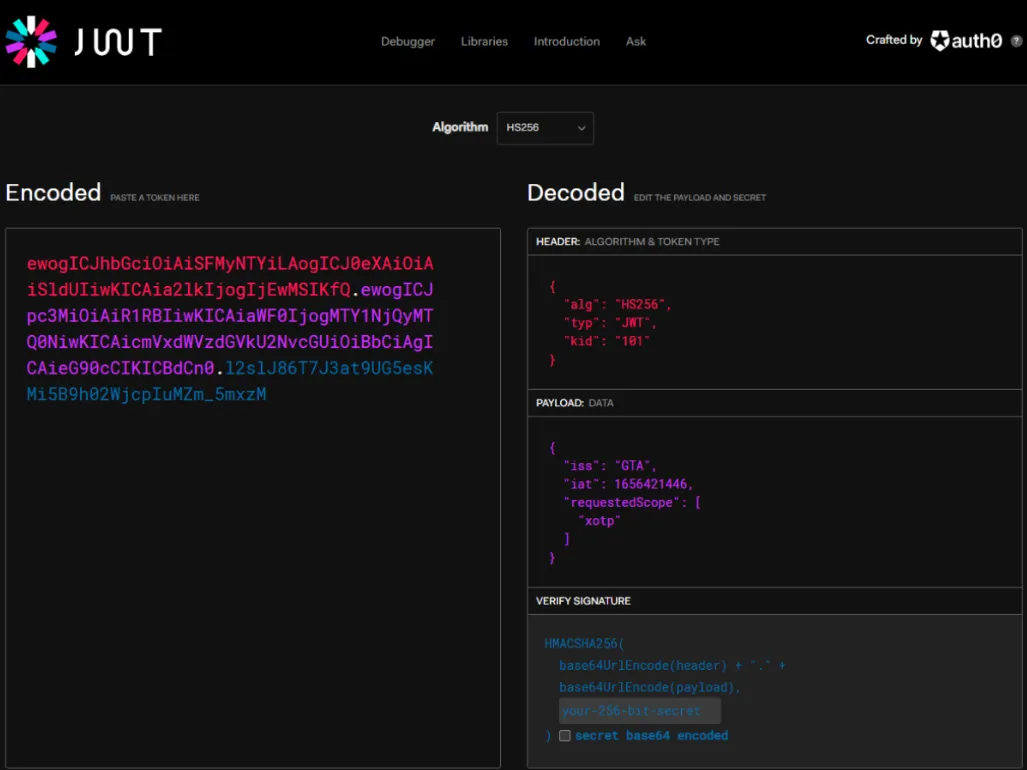
As you can see in the image, the token is decoded into three parts,
- Header
ewogICJhbGciOiAiSFMyNTYiLAogICJ0eXAiOiAiSldUIiwKICAia2lkIjogIjEwMSIKfQ- Payload
ewogICJpc3MiOiAiR1RBIiwKICAiaWF0IjogMTY1NjQyMTQ0NiwKICAicmVxdWVzdGVkU2NvcGUiOiBbCiAgICAieG90cCIKICBdCn0- Signature
l2slJ86T7J3at9UG5esKMi5B9h02WjcpIuMZm_5mxzMWe will see in the following topic how to create this token.
How to create JWT using Java
There are multiple libraries to do this in JAVA: I always try to use the simplest code.
import java.nio.charset.StandardCharsets;
import java.security.InvalidKeyException;
import java.security.NoSuchAlgorithmException;
import java.util.Base64;
import javax.crypto.Mac;
import javax.crypto.spec.SecretKeySpec;
import org.json.JSONException;
import org.json.JSONObject;

public class JWT {

	public static String encodeString(byte[] bytes) {
		return Base64.getUrlEncoder().withoutPadding().encodeToString(bytes);
	}

	public static String encodeJSON(JSONObject obj) {
		return encodeString(obj.toString().getBytes(StandardCharsets.UTF_8));
	}

	public static String createJWT(String data, String secret) throws NoSuchAlgorithmException {
		try {

			byte[] hash = secret.getBytes(StandardCharsets.UTF_8);
			Mac sha256Hmac = Mac.getInstance("HmacSHA256");
			SecretKeySpec secretKey = new SecretKeySpec(hash, "HmacSHA256");
			sha256Hmac.init(secretKey);

			byte[] signedBytes = sha256Hmac.doFinal(data.getBytes(StandardCharsets.UTF_8));

			return encodeString(signedBytes);
		} catch (InvalidKeyException ex) {
			System.out.print("FAILED to sign");
			return null;
		}
	}

	public static String JWTtoken(String[] args) throws JSONException, NoSuchAlgorithmException {
		String jwtHeader = "{\n  \"alg\": \"HS256\",\n  \"typ\": \"JWT\",\n  \"kid\": \"101\"\n}";
		String jwtPayload = "{\n  \"iss\": \"GTA\",\n  \"iat\": 1656422976,\n  \"requestedScope\": [\n    \"xotp\"\n  ]\n}";
		String secret = "1A3B4A5CE86E0BF3AF6FF575C93438BH";
		String signedData = createJWT(
				encodeJSON(new JSONObject(jwtHeader)) + "." + encodeJSON(new JSONObject(jwtPayload)), secret);
		String jwtToken = encodeJSON(new JSONObject(jwtHeader)) + "." + encodeJSON(new JSONObject(jwtPayload)) + '.'
				+ signedData;
		return jwtToken;

	}

	public static void main(String args[]) {
		try {
			JWTtoken(null);
		} catch (NoSuchAlgorithmException e) {
			e.printStackTrace();
		} catch (JSONException e) {
			e.printStackTrace();
		}
	}

}
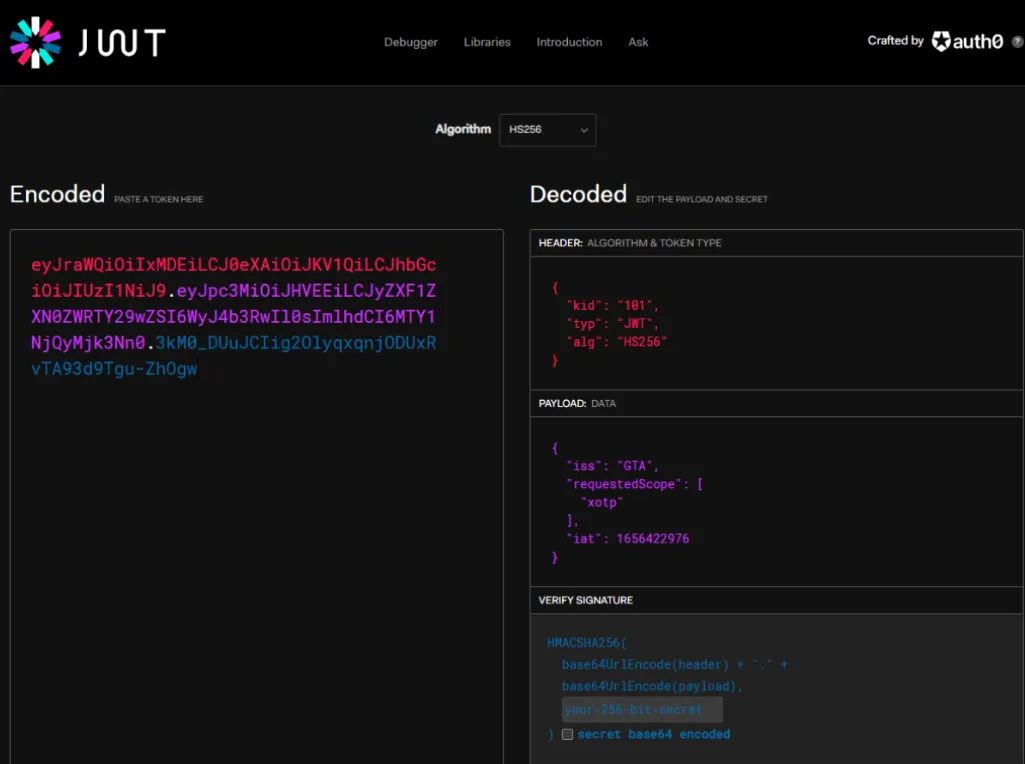
The token generated:
eyJraWQiOiIxMDEiLCJ0eXAiOiJKV1QiLCJhbGciOiJIUzI1NiJ9.eyJpc3MiOiJHVEEiLCJyZXF1ZXN0ZWRTY29wZSI6WyJ4b3RwIl0sImlhdCI6MTY1NjQyMjk3Nn0.3kM0_DUuJCIig2OlyqxqnjODUxRvTA93d9Tgu-ZhOgwLet’s decode this token.
How to create JWT using DataWeave
JAVA seems to be very technical. Let’s switch to our magical language.
%dw 2.0
//Imports
import * from dw::Crypto
import * from dw::core::Binaries
import * from dw::core::URL

//Variables
var secret = "1A3B4A5CE86E0BF3AF6FF575C93438BH" //256 bit key

var tokenHeader = {
 "alg": "HS256", // The algorithm to sign
 "typ": "JWT", // Type of token
 "kid": "101" // Key Id
}

var tokenPayload = {
 "iss": "GTA", // Issuer of JWT
 "iat": 1656422976, // now() as Number {unit: "seconds"}, // Time in seconds since epoch, hardcoded to match with JAVA code block
 "requestedScope": ["xotp"] // Request scope
}

// Function to encode data into base64
// Note:Web Tokens use Base64Url instead of the typical Base64. They are basically the same except Base64Url are safe to pass in a URL because they use – instead of + and _ instead of / and they omit the = padding characters at the end of the string. You can do string replacement to properly convert the token then call fromBase64.
// To read more on encoding/decoding base64 formats visit - https://docs.mulesoft.com/dataweave/2.4/dw-binaries-functions-tobase64
fun base64encodeURL(data) =
 toBase64(data) replace "/" with ("_") replace "+" with ("-") replace "=" with ""

//Variables
var header = base64encodeURL(write(tokenHeader, "application/json")) // Convert to Stringified JSON
var payload = base64encodeURL(write(tokenPayload, "application/json")) // Convert to Stringified JSON
var signature = base64encodeURL(HMACBinary(secret as Binary, (base64encodeURL(header) ++ "." ++ base64encodeURL(payload)) as Binary, "HmacSHA256"))
output application/json
---
header ++ "." ++ payload ++ "." ++ signature
The token generated:
ewogICJhbGciOiAiSFMyNTYiLAogICJ0eXAiOiAiSldUIiwKICAia2lkIjogIjEwMSIKfQ.ewogICJpc3MiOiAiR1RBIiwKICAiaWF0IjogMTY1NjQyMjk3NiwKICAicmVxdWVzdGVkU2NvcGUiOiBbCiAgICAieG90cCIKICBdCn0._RUefLwi3UBP7jbxE7VHB-t-aMmCNdvFSr7frgW7wNYLet’s decode this token:
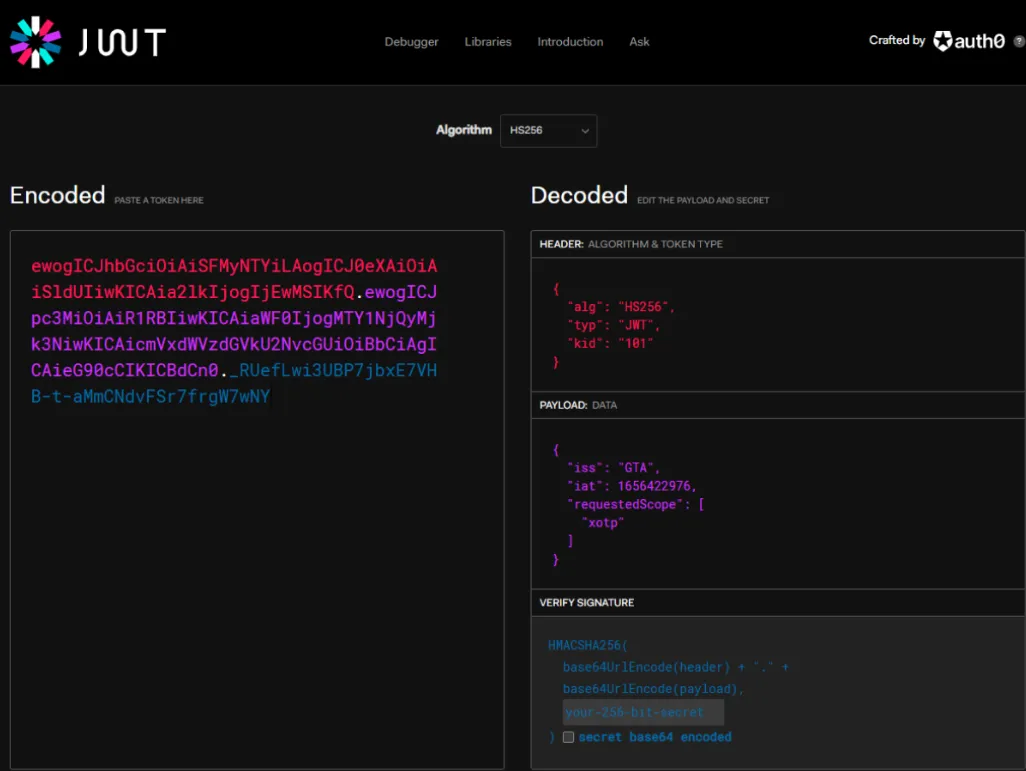
Voila, you are done. TBH, it’s way more fun to code in DataWeave.
The tokens generated from the JAVA class and DataWeave get decoded to the same data.
Summary
JWT is vital in today’s API world. It’s not enough to just know the code; we need to focus on the security of API from all perspectives.
References
FAQs
Frequently asked questions about this post.
-
What are the three parts of a JWT token?
A JWT decodes into three parts: the header, the payload, and the signature. As shown with the jwt.io debugger, the sample token splits on its dots into those three encoded segments.
-
How do I create a JWT using DataWeave?
In DataWeave you import
dw::Crypto,dw::core::Binaries, anddw::core::URL, define your secret,tokenHeader, andtokenPayload, then base64url-encode the header and payload, sign the joinedheader.payloadstring withHMACBinary(secret as Binary, ... , "HmacSHA256"), and finally outputheader ++ "." ++ payload ++ "." ++ signature. -
Why does the JWT code use Base64Url instead of regular Base64?
Web tokens use Base64Url because it is safe to pass in a URL: it uses
-instead of+and_instead of/, and it omits the=padding characters at the end of the string, which is why thebase64encodeURLfunction does string replacement before producing the token. -
Do the Java and DataWeave approaches produce equivalent tokens?
Yes. The tokens generated from the Java class and from DataWeave decode to the same header and payload data, which the post confirms by decoding each generated token in the jwt.io debugger.