
JSON Module Component in Mule 4
The JSON Module Connector is used to validate a JSON Payload against the predefined JSON Schema of your choice. Since schema validation falls outside the scope of DataWeave Functionality, the JSON Module can be used in MuleSoft. Learn about the possible exceptions you can get when using this component.

GitHub repository with the Mule Project can be found at the end of the post.
The JSON Module Connector is used to validate a JSON Payload against the predefined JSON Schema of your choice. Since schema validation falls outside the scope of DataWeave Functionality, the JSON Module can be used.
To use the JSON module, add it manually to your Mule app in Anypoint Studio or Design Center; or, if you want to use Maven, you can add the following dependency into your pom.xml file:
<dependency>
	<groupId>org.mule.modules</groupId>
	<artifactId>mule-json-module</artifactId>
	<version>RELEASE</version>
	<classifier>mule-plugin</classifier>
</dependency>
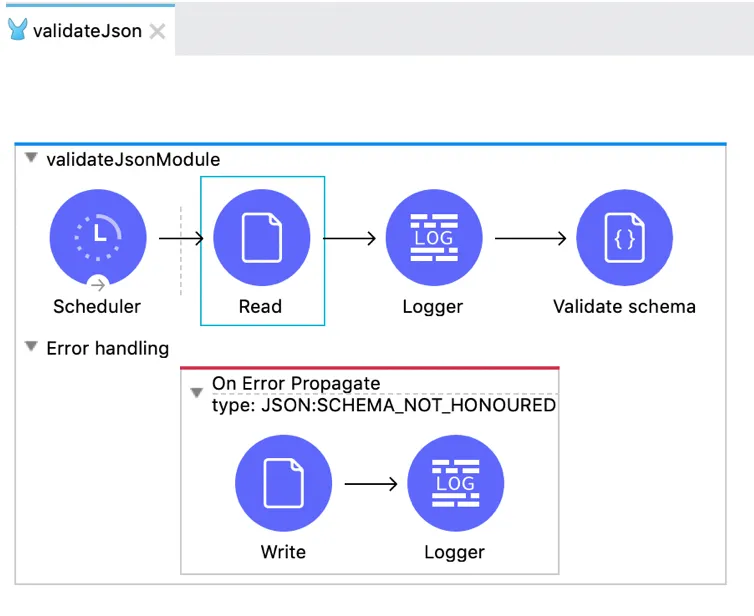
For better understanding of how the JSON Module works, I did a proof of Concept. Below is the screenshot of the flow which includes the JSON Module component.
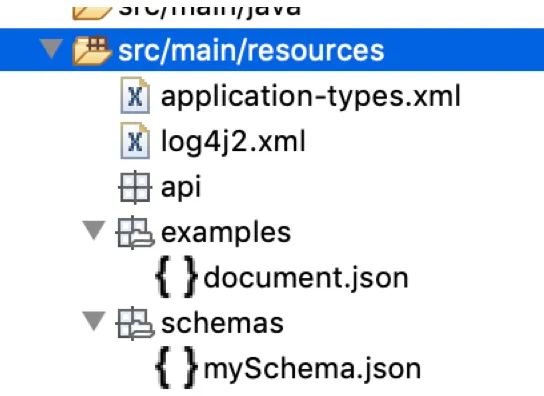
To validate the JSON payload, I need an example JSON file (in my case, document.json) and I would need the JSON schema file (mySchema.json) to validate my example JSON file against it. Since I chose to read the document.json file, I placed it below src/main/resources/examples:
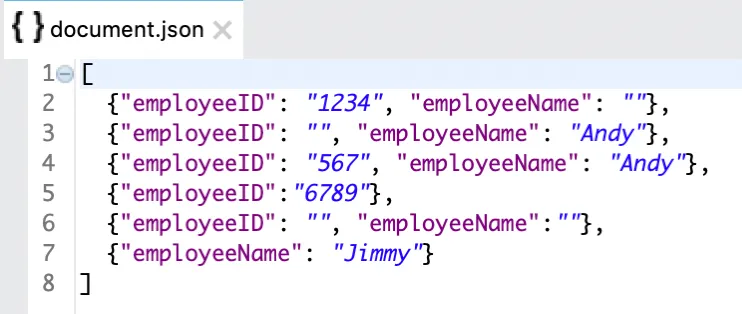
The document.json file looks like this:
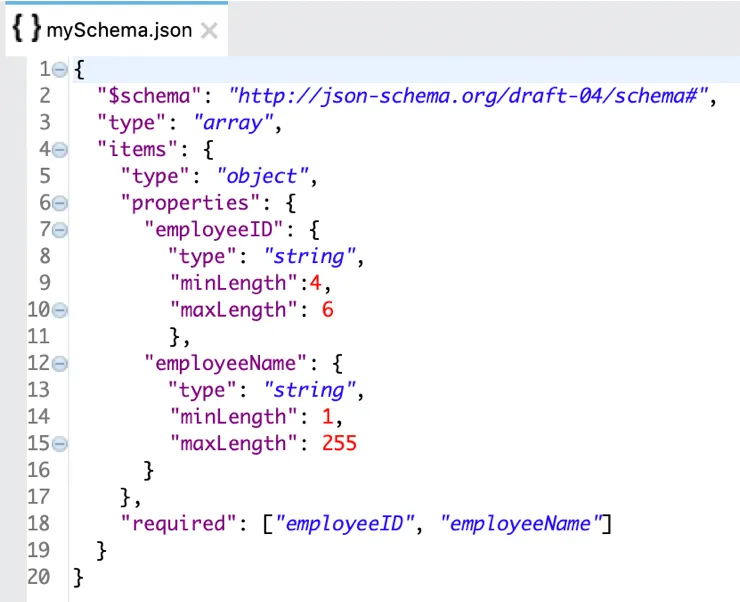
The schema against which the document.json file would be validated is defined as below:
A fixed frequency scheduler is set to run the flow every few seconds/minutes. The document.json file is read using the File Read operation as shown below:
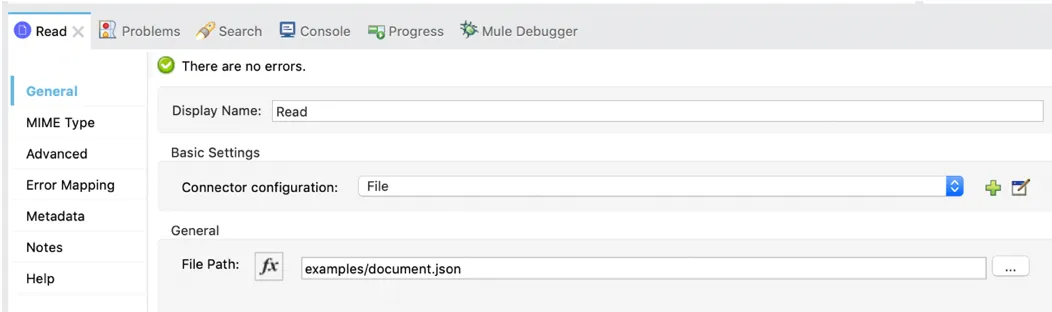
Once the file is read, the payload is saved in the Target Variable jsonDoc as shown below:
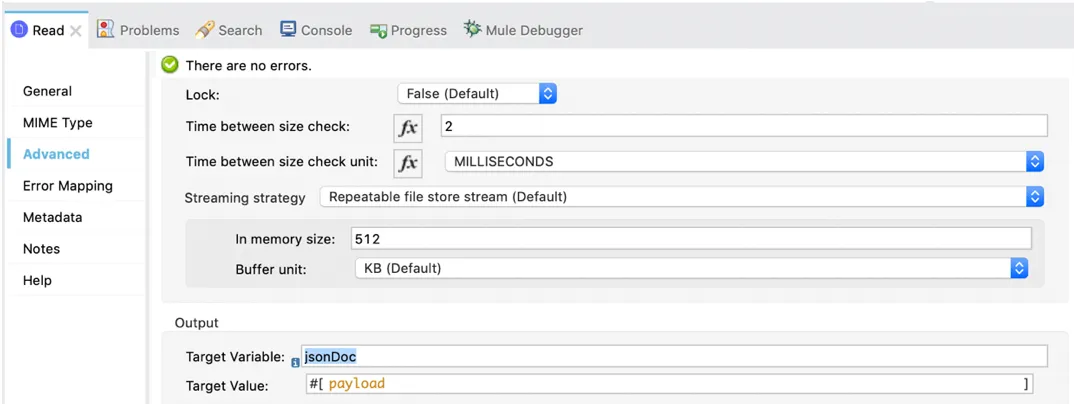
After the file is saved in the jsonDoc variable, it is validated against the schema using the JSON Module as shown below:
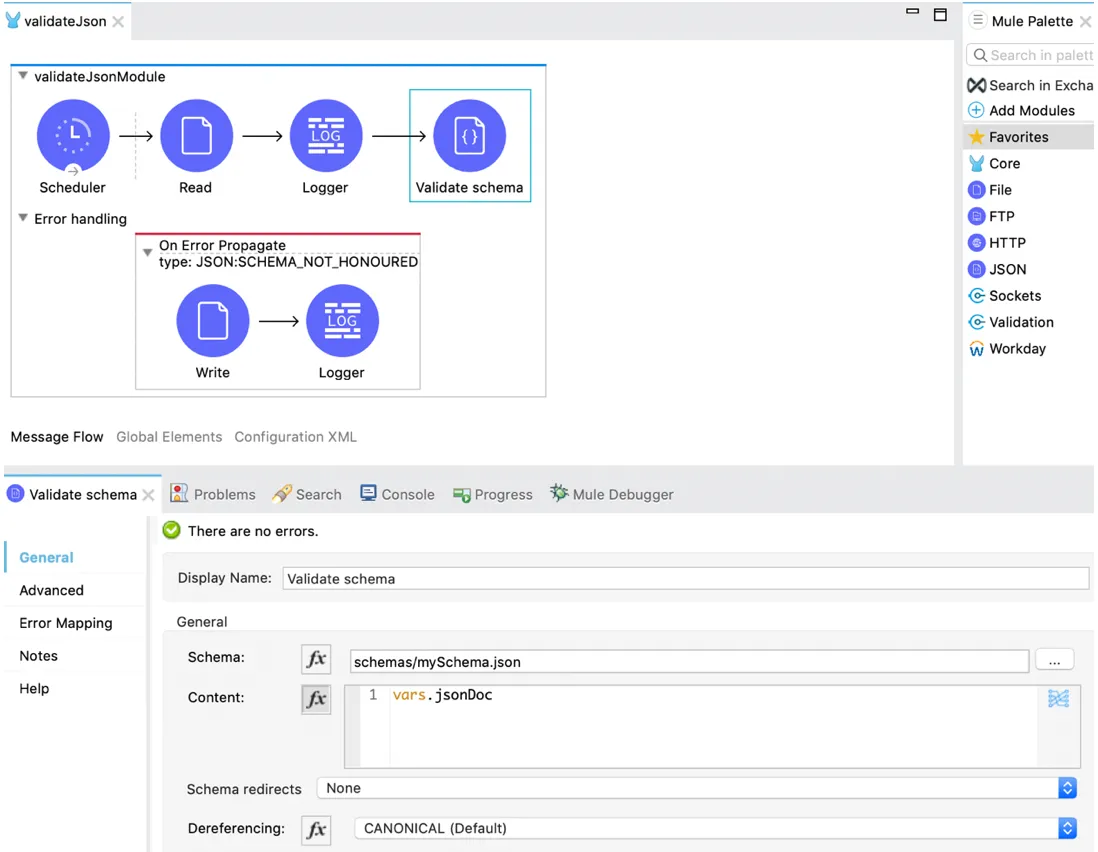
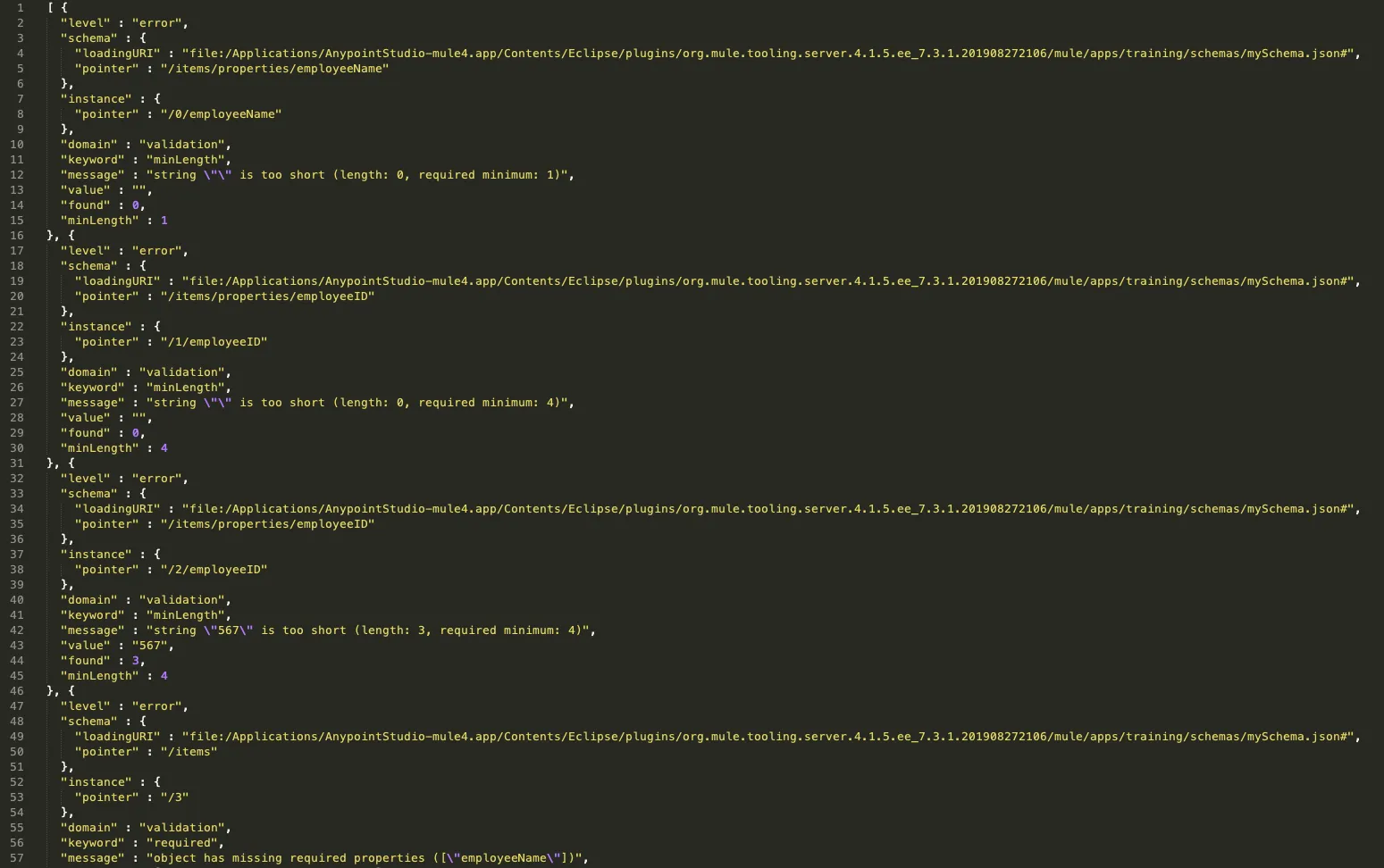
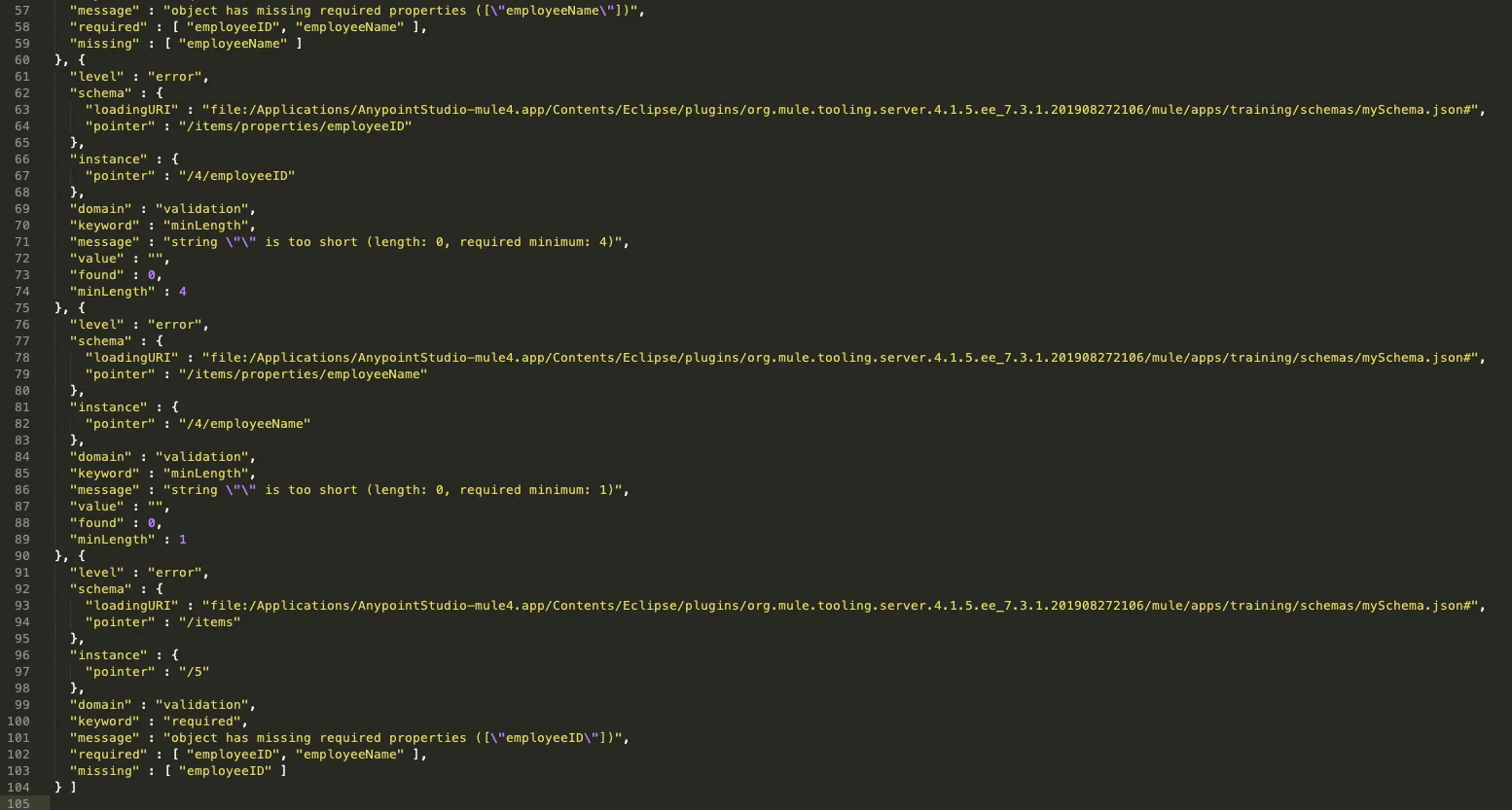
As per our example, document.json does not match mySchema.json, so, it throws a JSON:SCHEMA_NOT_HONOURED exception. This exception is caught in the error handler and the error.errorMessage.payload is written to a file as shown below:
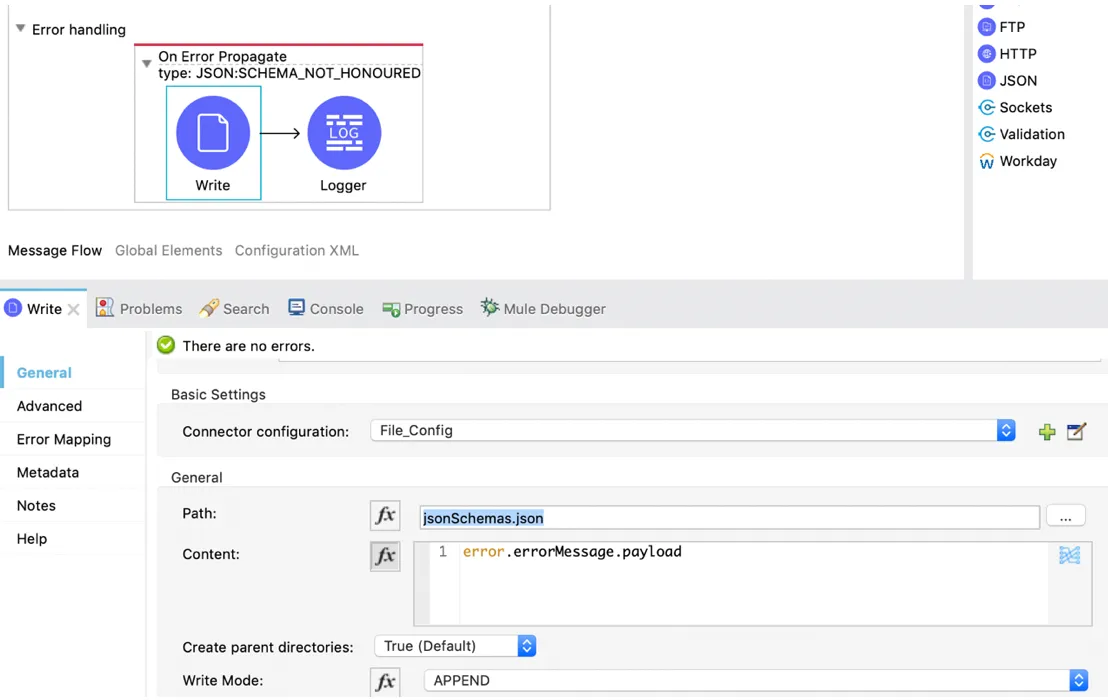
The file will contain the following error message payload:
The JSON Module can throw any of these exceptions:
JSON:INVALID_INPUT_JSONJSON:INVALID_SCHEMAJSON:SCHEMA_NOT_FOUNDJSON:SCHEMA_NOT_HONOURED
Some JSON schemas might reference other schemas through a public URI. However, you might not want to fetch those schemas from the internet, mainly for performance and security reasons.
The JSON Module has an option to redirect the schema, which lets you replace an external reference with a local one, without the need to modify the schema itself.
The JSON Module also has an option called “Allow Duplicate Keys”, which when set true, it will allow the duplication of keys; otherwise, it will fail.
This is why the JSON Module is a very useful component for schema validation. Enjoy the benefits of using this component :)
Thank you for reading.
-Pravallika Nagaraja
GitHub repository
FAQs
Frequently asked questions about this post.
-
What is the JSON Module used for in Mule 4?
The JSON Module Connector is used to validate a JSON payload against a predefined JSON schema of your choice. Because schema validation falls outside the scope of DataWeave functionality, the JSON Module can be used for this purpose in MuleSoft.
-
How do I add the JSON Module to my Mule app?
You can add it manually to your Mule app in Anypoint Studio or Design Center, or, if you want to use Maven, add the
mule-json-moduledependency (groupIdorg.mule.modules, with themule-pluginclassifier) into yourpom.xmlfile. -
Why does the JSON Module throw a `JSON:SCHEMA_NOT_HONOURED` exception?
It is thrown when the JSON payload does not match the schema it is validated against. In the post's example,
document.jsondoes not matchmySchema.json, so theJSON:SCHEMA_NOT_HONOUREDexception is raised, caught in the error handler, and theerror.errorMessage.payloadis written to a file. -
What exceptions can the JSON Module throw?
The JSON Module can throw any of these exceptions:
JSON:INVALID_INPUT_JSON,JSON:INVALID_SCHEMA,JSON:SCHEMA_NOT_FOUND, andJSON:SCHEMA_NOT_HONOURED. -
How can I avoid fetching referenced schemas from the internet?
Some JSON schemas reference other schemas through a public URI, but you might not want to fetch them from the internet for performance and security reasons. The JSON Module has an option to redirect the schema, which lets you replace an external reference with a local one without needing to modify the schema itself.
-
What does the "Allow Duplicate Keys" option do?
The JSON Module has an option called "Allow Duplicate Keys" which, when set to true, allows the duplication of keys; otherwise, validation will fail.