
Cryptography Module Mule 4 - Part 1 (PGP Encryption/Decryption)
Mule 4 has a Cryptography module which includes PGP, XML, and JCE. In this article, we will see the PGP technique — a cryptographic way that allows secure communication between two entities using public and private keys.

GitHub repository with the Mule project can be found at the end of the post.
Mule 4 has a Cryptography module which includes these 3 different strategies:
- PGP
- XML
- JCE
In this article, we will see the PGP technique.
PGP
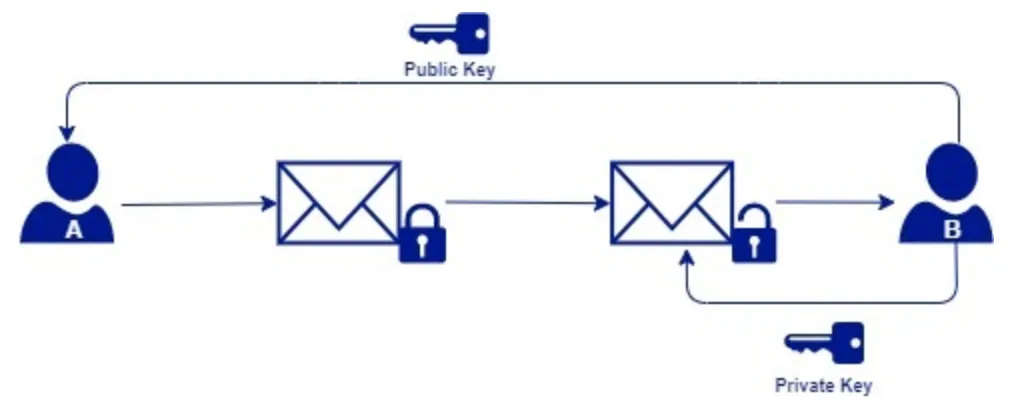
Pretty Good Privacy (PGP) is a cryptographic way that allows secure communication between two entities. It uses the public and private key concepts to encrypt the data as shown in the below diagram.
Prerequisites
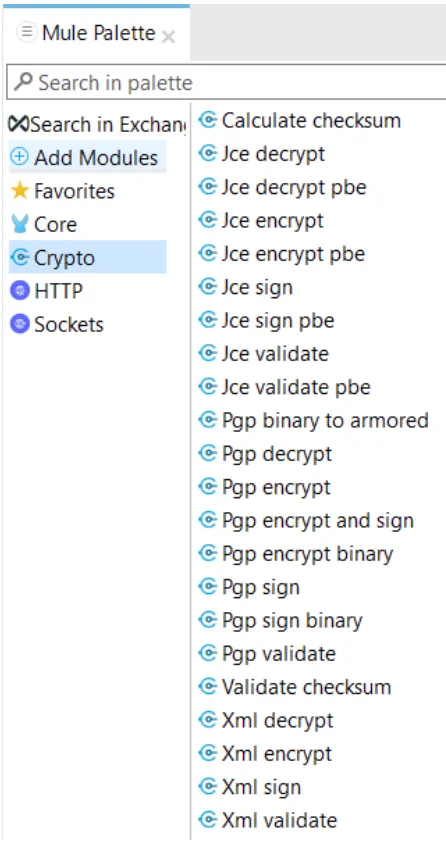
1. Install the Crypto Module from Exchange, located in the Mule palette.
Note
Here is the reference documentation on how to install new modules to your Mule Project: Adding Modules to Your Project.
2. Create private and public keys
Please follow the below steps to generate a public/private key pair:
- Download and install the GnuPG from this link.
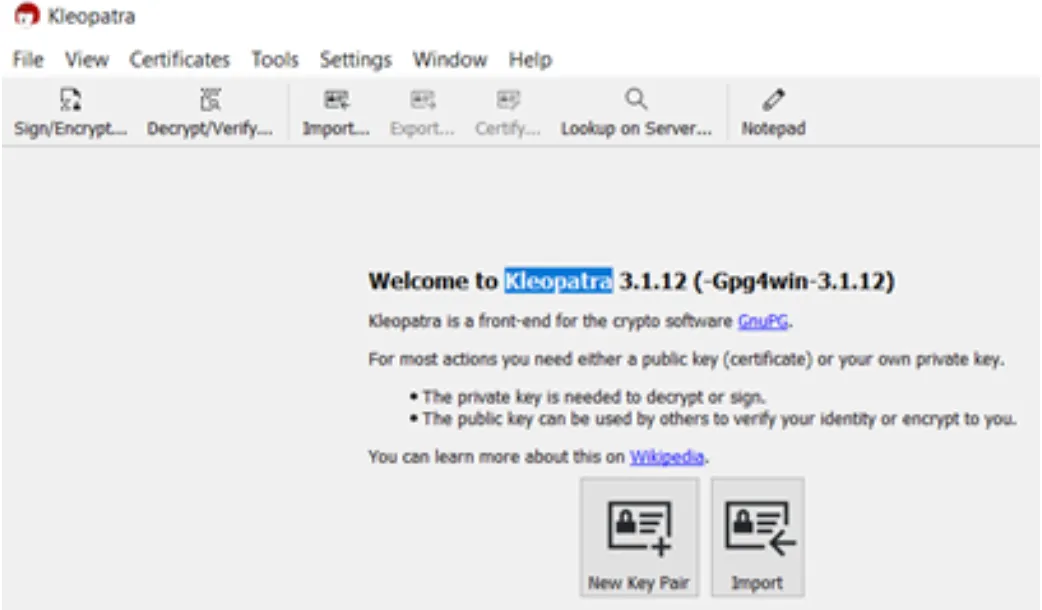
- Install Kleopatra to use a Graphical User Interface (GUI).
- To generate the keys, click on “New Key Pair” and follow the instructions on the screen.
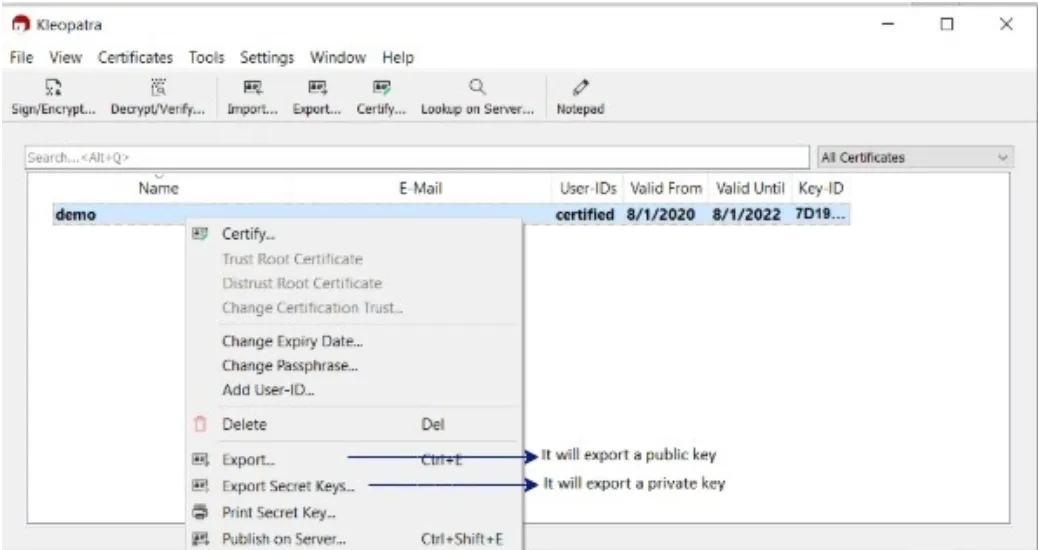
- Once the keys are generated, export them to the file system.
- The generated files are of ASC format, which is not supported by Mule yet, so we need to dearmor the keys first. Run the following command:
./gpg --dearmor <PATH_TO_YOUR_ASC_FILE>for each of the keys. This command will create new files alongside the ASC files that will have .gpg appended to their filename which are supported in Mule.

This is what you will get after following the previous steps:
- Public/Private keys
- Fingerprint
- Passphrase
- KeyId
Mule Code Implementation
We will limit our scope to PGP encrypt/decrypt operation in this article.
Global configurations
Create 2 global configurations:
- Encryption – Configure public key, keyId, and fingerprint.
- Decryption – Configure private key, keyId, and fingerprint.

Usage
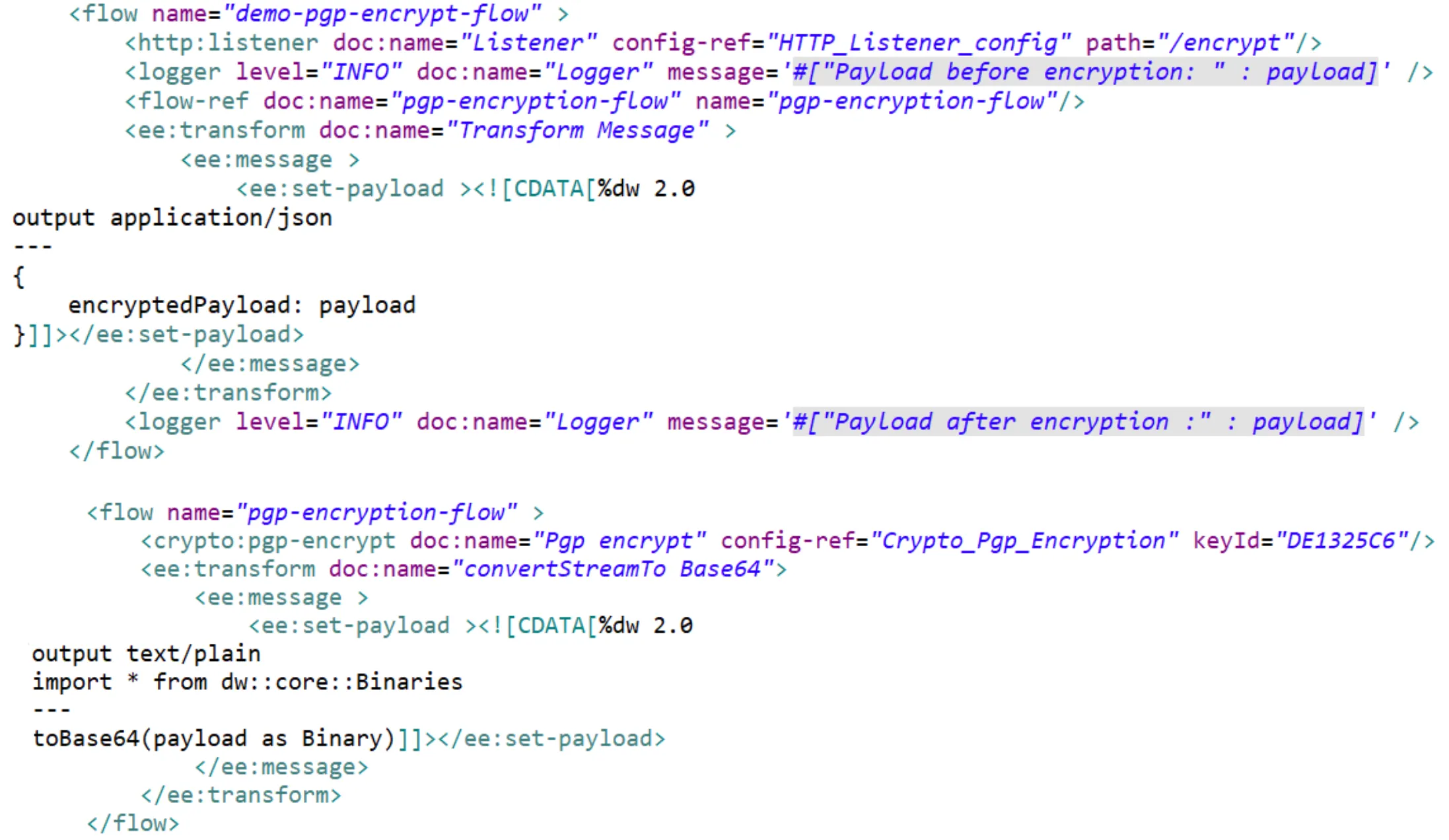
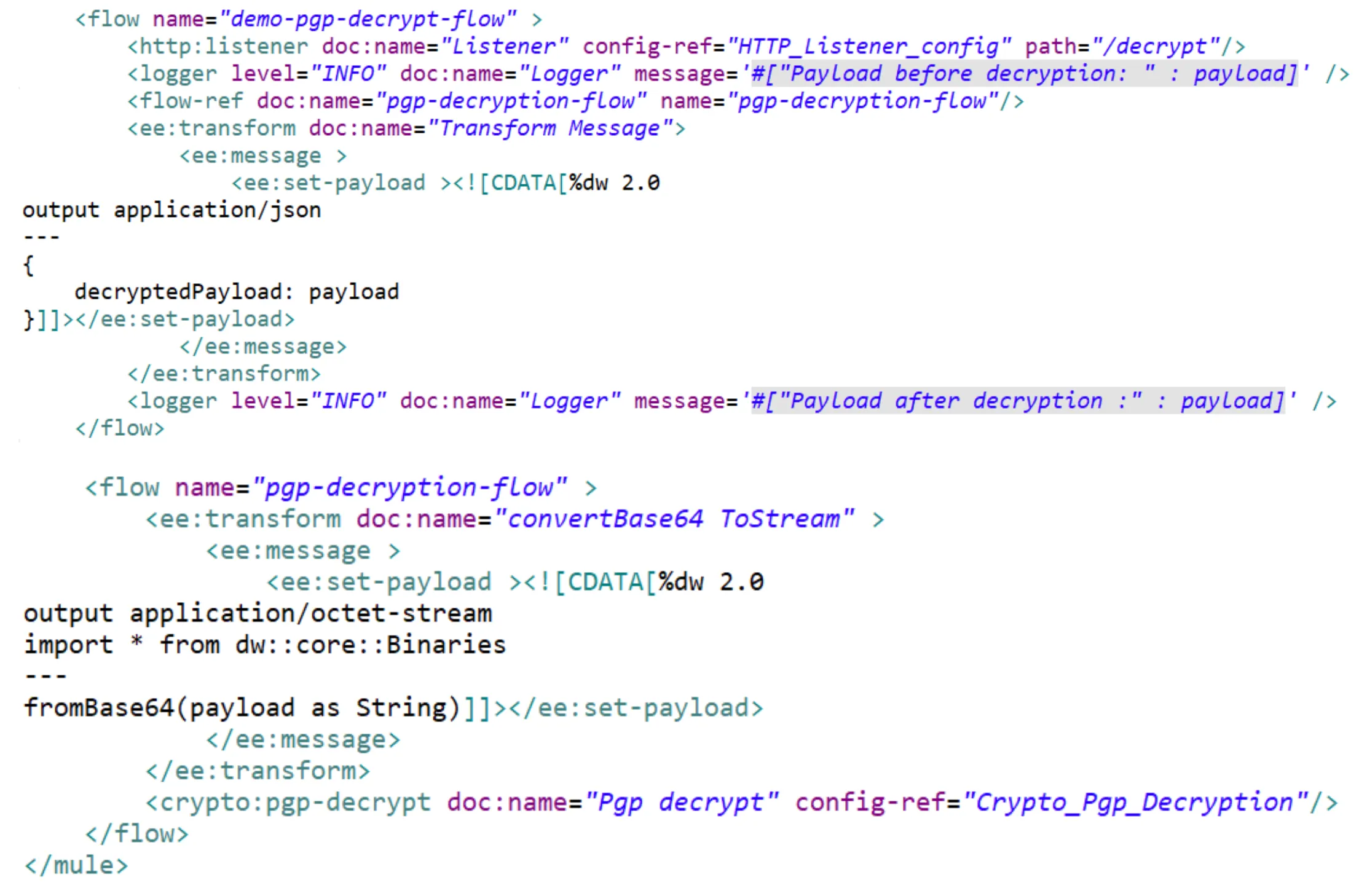
1. Encryption/Decryption of entire payload
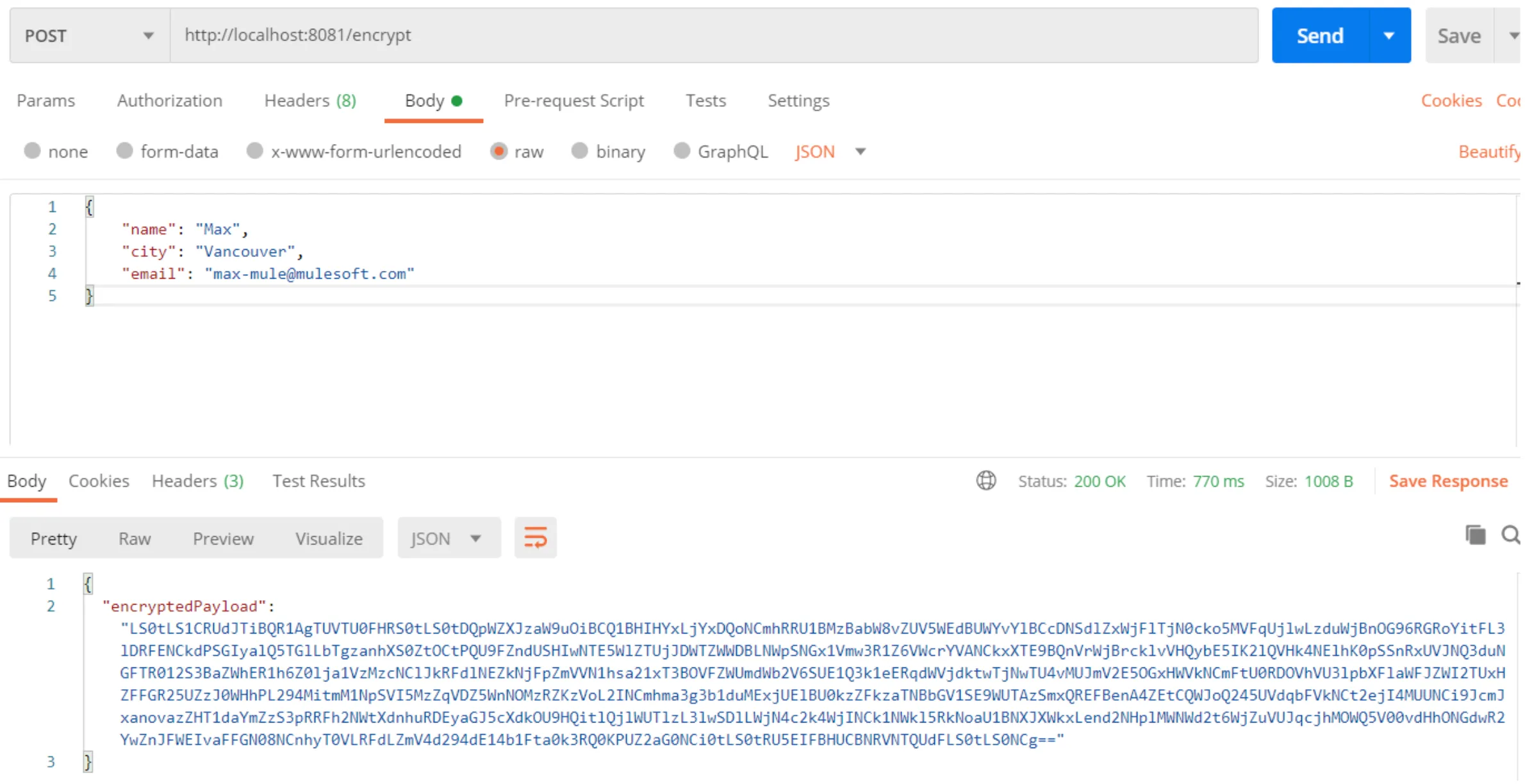
Encryption:
Output:
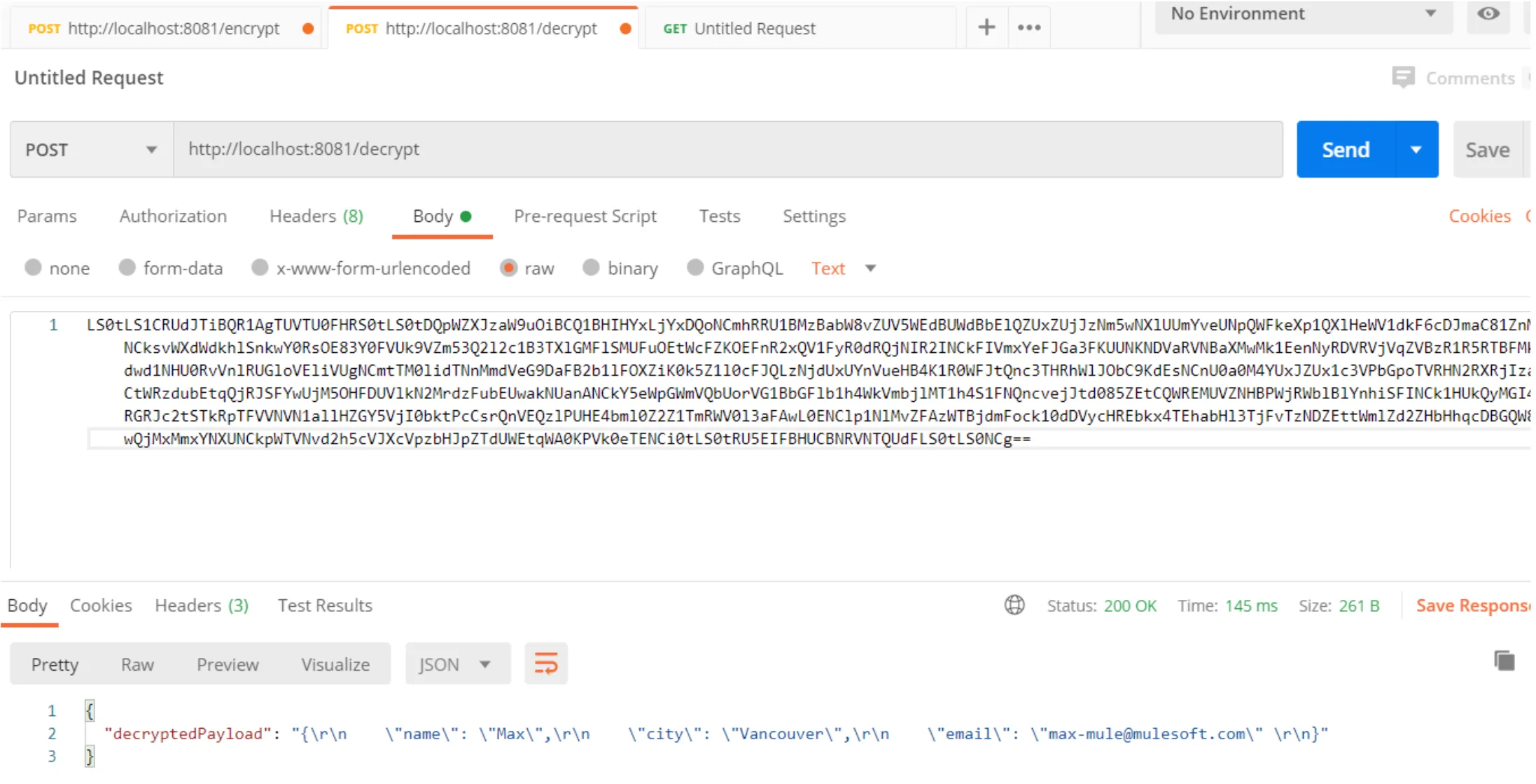
Decryption:
Output:
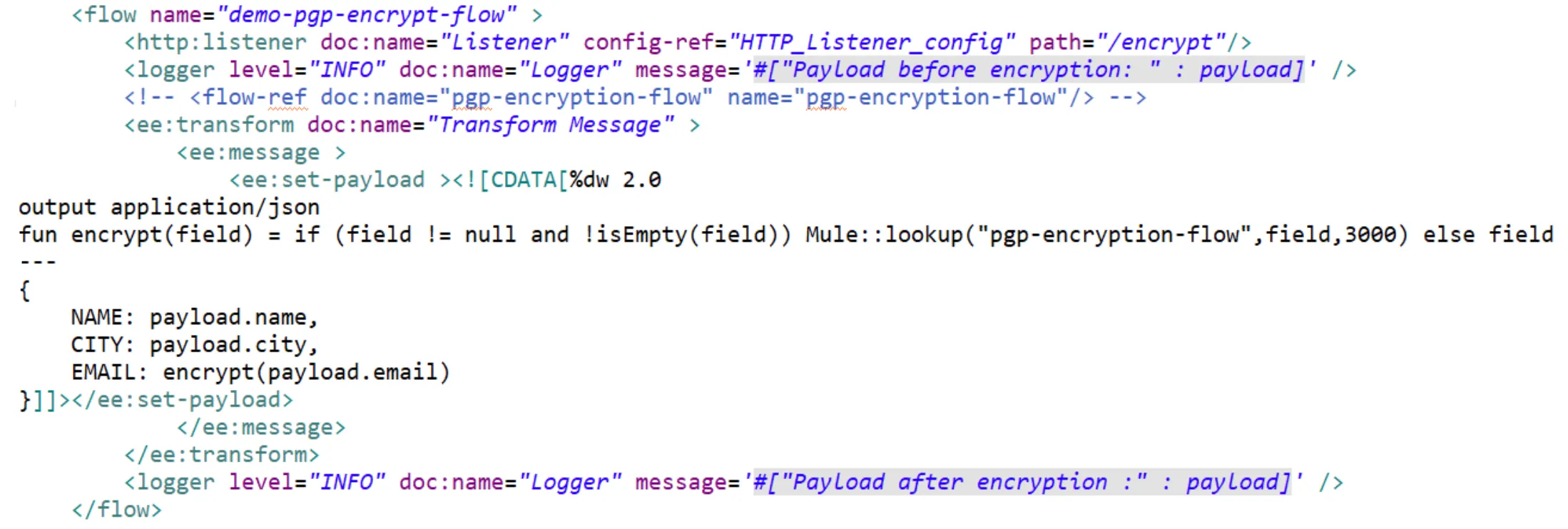
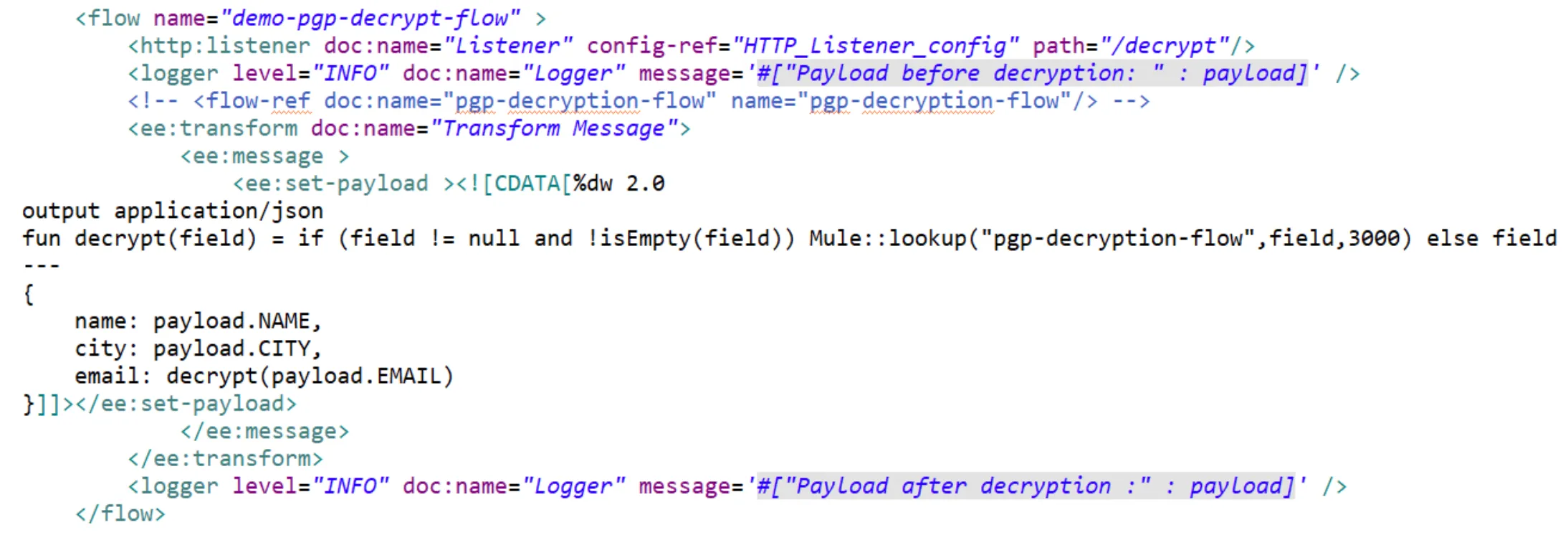
2. Encryption/Decryption at field level
This is a very common non-functional requirement where sensitive fields should be encrypted.
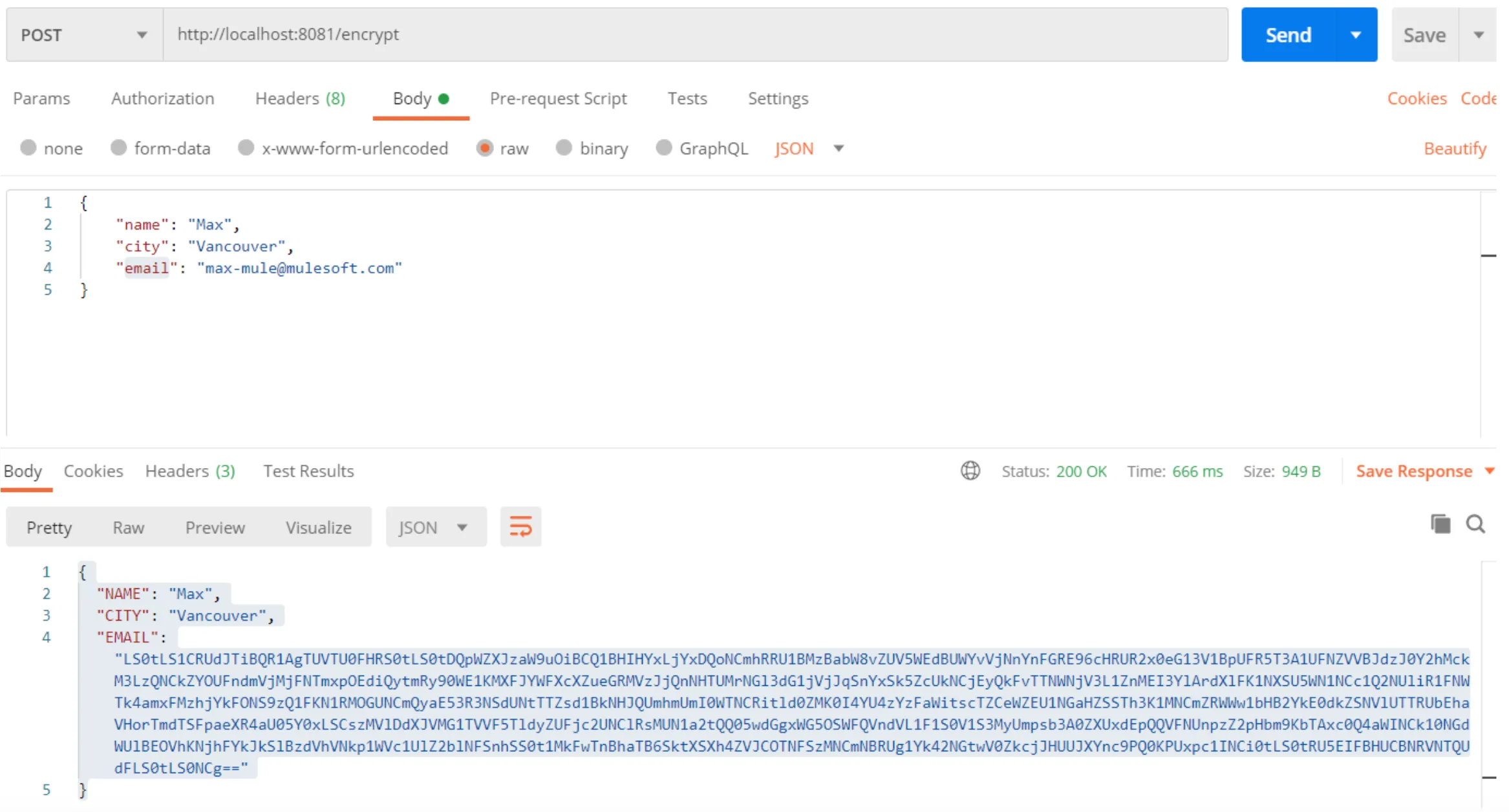
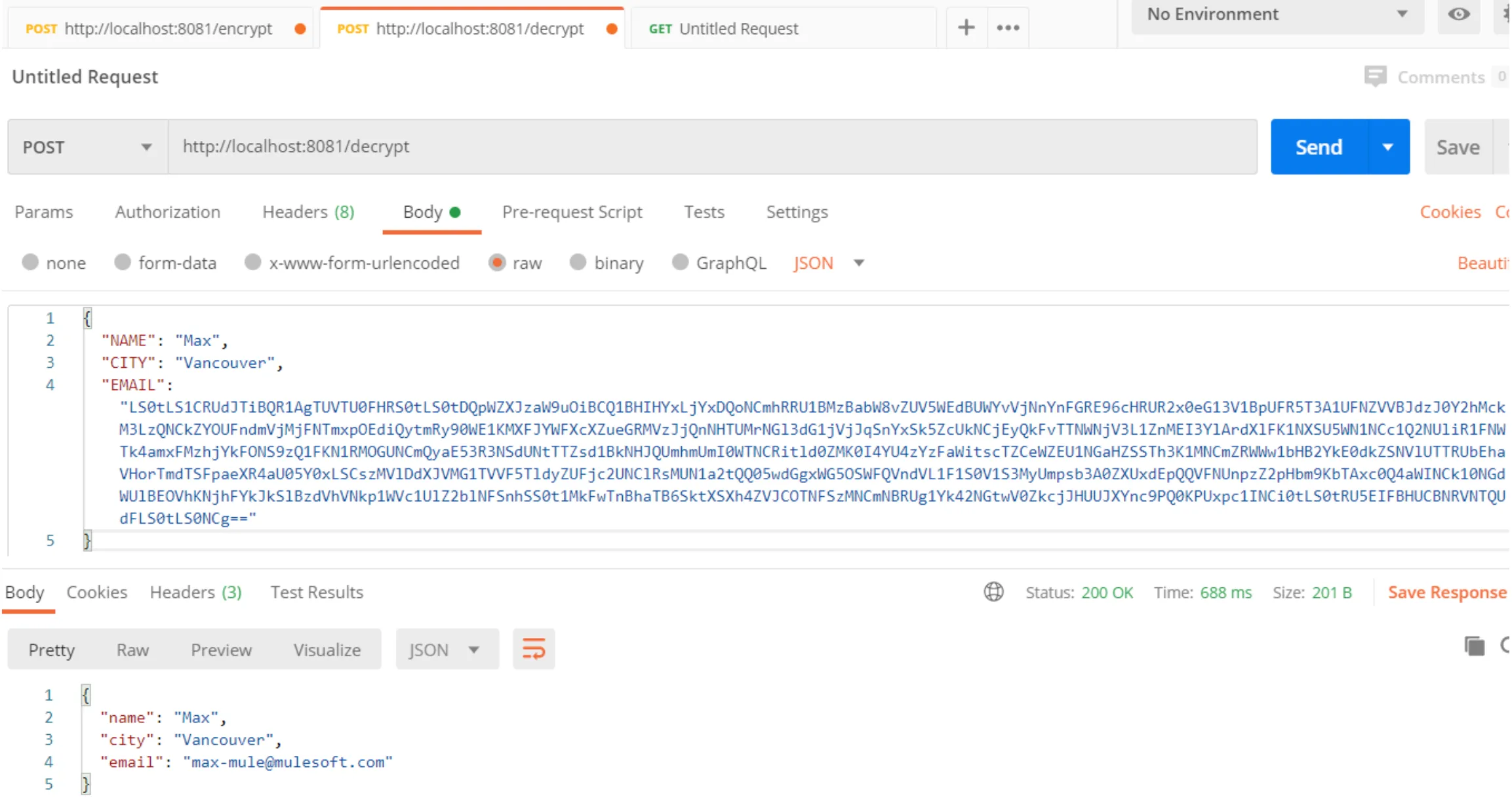
For this, we can still reuse the pgp-encryption-flow and pgp-decryption-flow flows. The only change would be the way we refer to these flows from the main flow, and for that, the DataWeave lookup function is very useful.
Encryption:
Output:
Decryption:
Output:
Conclusion
So far we learned Mule code implementation for PGP. You can set this Mule code as a common service that will help to achieve the encryption/decryption non-functional requirement in many APIs.
Here are the 2 ways to set up this Mule code as a common service:
- Externalize the flow and publish it on the Anypoint Exchange.
- Create a common API, which will encrypt/decrypt the payload.
References
- https://docs.mulesoft.com/mule-runtime/4.3/cryptography-pgp
- https://docs.mulesoft.com/mule-runtime/4.3/dw-mule-functions-lookup
GitHub repository
FAQs
Frequently asked questions about this post.
-
What strategies does the Mule 4 Cryptography module include?
The Cryptography module includes three different strategies: PGP, XML, and JCE. This article covers the PGP technique, a cryptographic way that allows secure communication between two entities using public and private keys.
-
Why do I need to dearmor the PGP keys before using them in Mule?
The keys generated and exported from Kleopatra are in ASC format, which is not supported by Mule yet, so you need to dearmor them first. Run
./gpg --dearmor <PATH_TO_YOUR_ASC_FILE>for each key, which creates new files alongside the ASC files with.gpgappended to their filename that are supported in Mule. -
What do I configure in the encryption and decryption global configurations?
Create two global configurations: an Encryption config where you configure the public key, keyId, and fingerprint, and a Decryption config where you configure the private key, keyId, and fingerprint.
-
How do I encrypt only a specific field instead of the entire payload?
You can reuse the same pgp-encryption-flow and pgp-decryption-flow flows for field-level encryption; the only change is the way you refer to these flows from the main flow, and for that the DataWeave lookup function is very useful, letting you encrypt or decrypt just a sensitive field such as the email.
-
How can I reuse this PGP code as a common service across many APIs?
There are two ways to set up this Mule code as a common service: externalize the flow and publish it on the Anypoint Exchange, or create a common API that will encrypt and decrypt the payload, which helps achieve the encryption/decryption non-functional requirement in many APIs.
-
Why convert the encrypted output to a base64 data type?
To log or use the payload in the next processor, you convert the encrypted stream to a base64 data type, which is why the encryption output is returned as a base64 string.